Best Video Editing Software for Beginners 2026
The first editing software I opened was Adobe Premiere Pro. Someone had left a copy on the family computer, and I figured editing was editing. Forty-seven minutes trying to get a clip into the timeline. Then I closed it and walked away. Didn't touch video editing again for six weeks.
The right software for where you are right now isn't the most powerful option. It's the one you can actually use on the first session.
Quick answer: Windows and want one free tool from first edit to professional work — DaVinci Resolve free. Mac just getting started — iMovie, already installed. Phone posting social content daily — CapCut free. Every specific situation is in the table directly below.
Best by situation
| Situation | Pick |
|---|---|
| Windows, want the best free tool | DaVinci Resolve 20 |
| Mac, just getting started | iMovie |
| Phone, social content daily | CapCut |
| Windows, want something simpler than Resolve | CyberLink PowerDirector 365 |
| Windows, need to edit right now, no download | Clipchamp (built into Windows) |
| Want simple desktop tool, don't mind paying | Filmora |
| Music video editing on free software | DaVinci Resolve 20 |
| iOS mobile, serious editing | Premiere on iPhone (free, released 2025) |
How we tested
Each tool ran on real projects across a minimum of 3 editing sessions — not a demo, not a benchmark. Testing covered: importing 4K footage, building a multi-track timeline, exporting to 1080p and 4K, using colour tools on actual footage. Hardware: a mid-range Windows laptop (Intel i7, 16GB RAM, no dedicated GPU) and a MacBook Air M2. Learning curve is measured by how long before the interface stopped being the obstacle and the editing started. Where a collaborator used a tool on a shared project, their specific time and experience is noted explicitly in the review.
Pick based on what you're actually making
If you're editing 30-second vertical clips for TikTok, starting in DaVinci Resolve is the wrong call. CapCut's templates, auto-captions, and aspect ratio tools are purpose-built for that format and nothing on desktop matches it for short-form speed.
If you're making music videos, longer YouTube content, or anything that needs a real colour grade — you need a desktop editor with a proper timeline. CapCut will hit its ceiling before the first project is done.
If you're on a Mac and haven't edited anything before: iMovie is already installed. I know three working editors who started on iMovie and cut professional work on it for over a year before switching. The fundamentals transfer directly to whatever comes next.
If you're on Windows and want something free that won't limit you when projects get serious: DaVinci Resolve free. The learning curve is real — took me 3 sessions before the Cut page felt natural — but once it does, you have the same colour page used on commercial music videos and feature films. Worth noting: DaVinci Resolve 21 launched in public beta at NAB 2026 in April — a free update for Studio owners, and the free version also updates. Stable Resolve 20 is what most people are running now.
CapCut — for social-first creators
Free · Standard ~$9.99/mo (mobile, removes watermarks, no 4K) · Pro $19.99/mo or $179.99/yr via capcut.com · Windows, Mac, iOS, Android, browser
Learning curve: Easy · Our rating: 8.5/10
Subscribe at capcut.com, not through the app store — app store adds $1–3/month in platform fees for the same plan. Price varies by region.
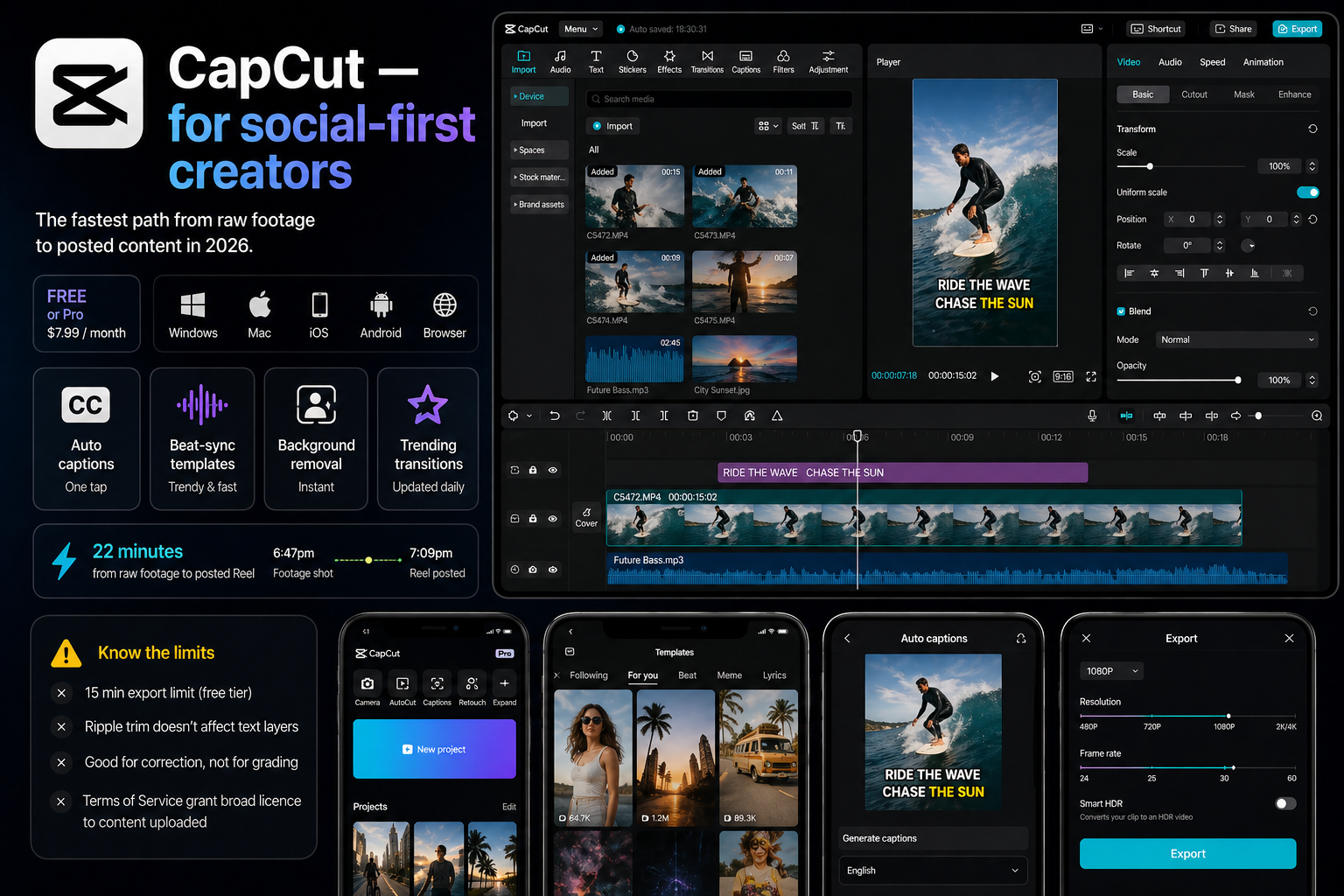
CapCut is the fastest path from raw footage to posted content in 2026. Auto-captions, beat-sync templates, background removal, trending transitions — all on a phone, all free, updated constantly because ByteDance competes hard for creator attention. AI features arrive on mobile first, usually weeks before the desktop version catches up.
On a recent short-form edit I timed the whole thing: footage shot at 6:47pm, Reel posted at 7:09pm. 22 minutes including captions, music, and three text overlays. No desktop editor at any price matches that for a vertical 60-second clip.
The ceiling shows up fast once projects get layered. Free tier caps exports at 15 minutes. Multi-track editing has a specific problem — Ripple trim on the video track doesn't trim text layers simultaneously, creating sync drift on anything complex. Colour tools are fine for correction, not for building a grade. The Terms of Service grant ByteDance a broad licence to content uploaded through the platform — worth knowing before you build a client workflow around it.
Full head-to-head against the professional alternative: CapCut vs DaVinci Resolve →
iMovie — for Mac and iPhone beginners
Free · Mac, iPhone, iPad only · Learning curve: Easy · Rating: 8/10
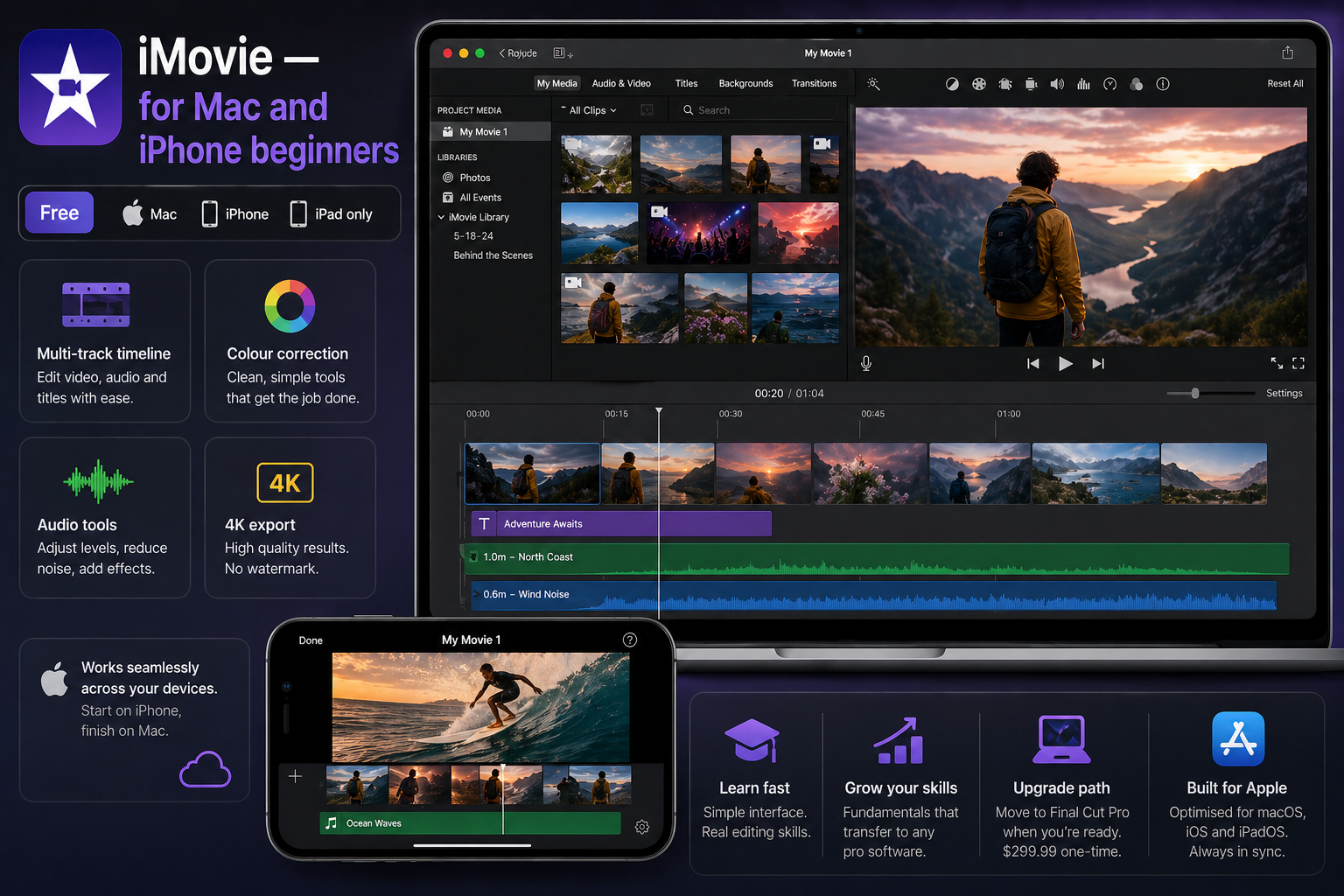
iMovie looks basic. People dismiss it. It isn't basic — proper multi-track timeline, clean colour correction, decent audio tools, full 4K export with no watermark and no cost. The interface teaches the actual fundamentals: how a timeline works, how audio sits under video, how transitions connect clips. Without adding software complexity on top of the learning itself.
A musician I recommended iMovie to last year had never edited anything. She went from zero to a finished 4-minute performance video in 11 days, working evenings. Not a rough cut — a properly paced, colour-corrected video she released publicly. The wall she hit: iMovie handles Rec.709 footage cleanly but has no Log or LUT workflow. The moment she wanted to grade footage from a mirrorless shooting flat, iMovie couldn't do it. She moved to DaVinci Resolve. Everything she'd learned transferred directly — same editing concepts, different interface.
Platform limitation is total. Zero Windows or Android support. Final Cut Pro at $299.99 one-time is the upgrade path — faster than Resolve on Apple Silicon, better designed for solo editors — but that's a decision for later.
DaVinci Resolve 20 — for Windows beginners and anyone who plans to grow
Free · Studio $295 one-time · Windows, Mac, Linux
Learning curve: Medium · Our rating: 9.5/10
DaVinci Resolve 21 launched in public beta at NAB 2026 (April 2026) — free update for existing Studio owners, free version also updates. Stable Resolve 20 is current for production use.
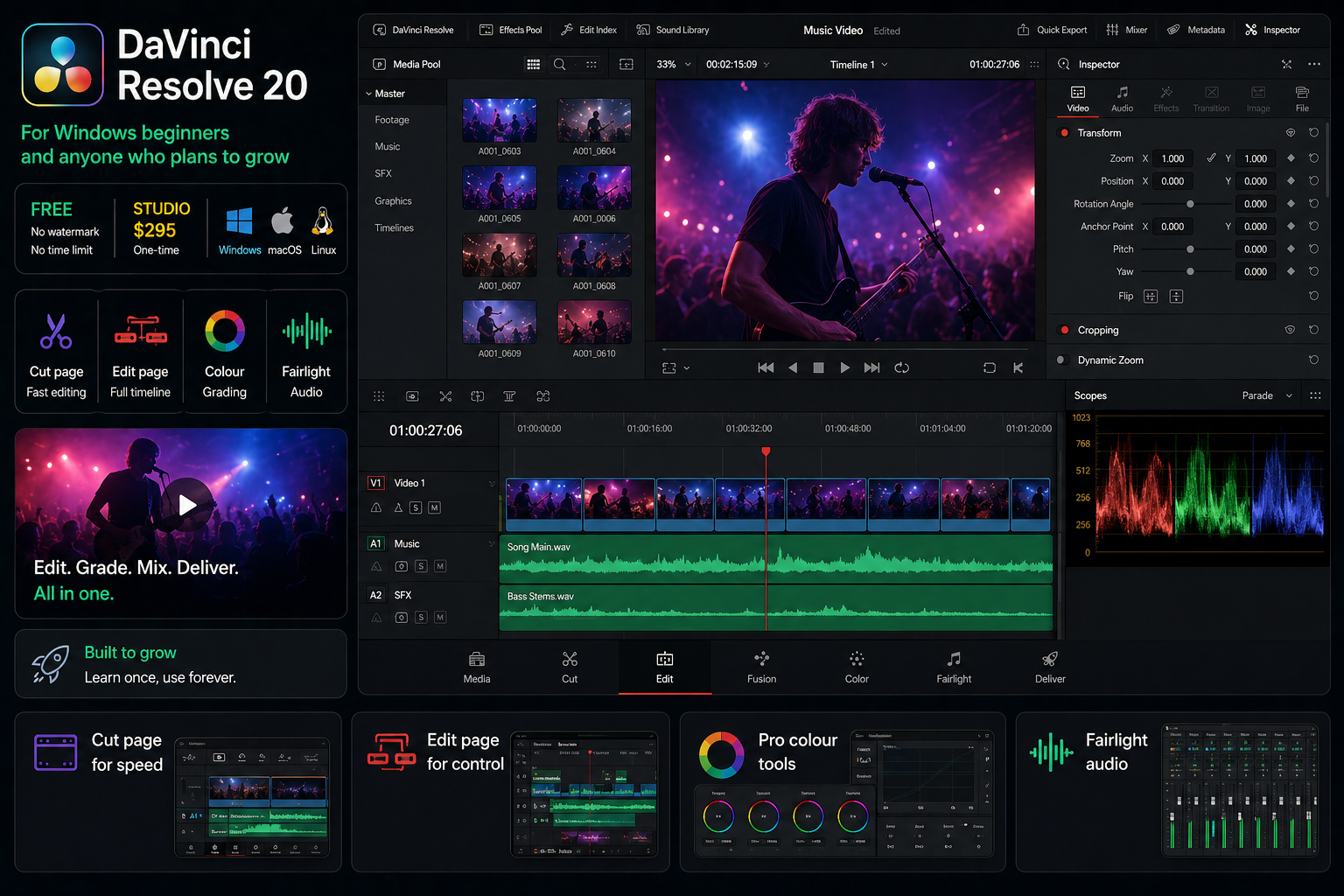
The free version: no watermark, no time limit, 4K export, the full colour page with scopes and node-based grading, Fairlight audio suite, multicam support. This is the same software used on professional music video productions and commercial film colour work. Blackmagic Design has kept Studio at $295 since 2021 — and confirmed at NAB 2026 that the Resolve 21 upgrade is also free for Studio owners.
Honest beginner experience: the first session is confusing. There's a Cut page — simplified, built for fast editing — and an Edit page that resembles Premiere Pro's layout. The Cut page is where to start. I spent 3 sessions before it felt natural. The Edit page clicked around session 5. After that, I've never felt the need to switch tools for any project type.
The reason to start in Resolve despite the curve: it has no ceiling. Everything you learn applies at the professional level. Most Premiere Pro users eventually learn Resolve for colour work because Resolve's colour tools are genuinely better. Starting in Resolve skips that migration entirely. Resolve 20 added AI Detect Music Beats — places markers on every beat hit automatically — directly useful for music video editing. Full colour workflow: How to Colour Grade for Social Media →
Performance note: Resolve with AI tools needs a capable GPU. On the i7 test machine without a dedicated GPU, 1080p proxy editing was smooth and native 4K playback was not. Check Blackmagic's system requirements before installing on older hardware.
CyberLink PowerDirector 365 — for Windows beginners who want simpler
Free (watermark on exports) · 365 subscription $74.99/yr (list price — frequent discounts up to 50%) · PowerDirector 2026 Ultimate $139.99 one-time · Windows, Mac
Learning curve: Easy–Medium · Our rating: 7.5/10
CyberLink regularly discounts PowerDirector — verify current pricing at cyberlink.com before purchasing.
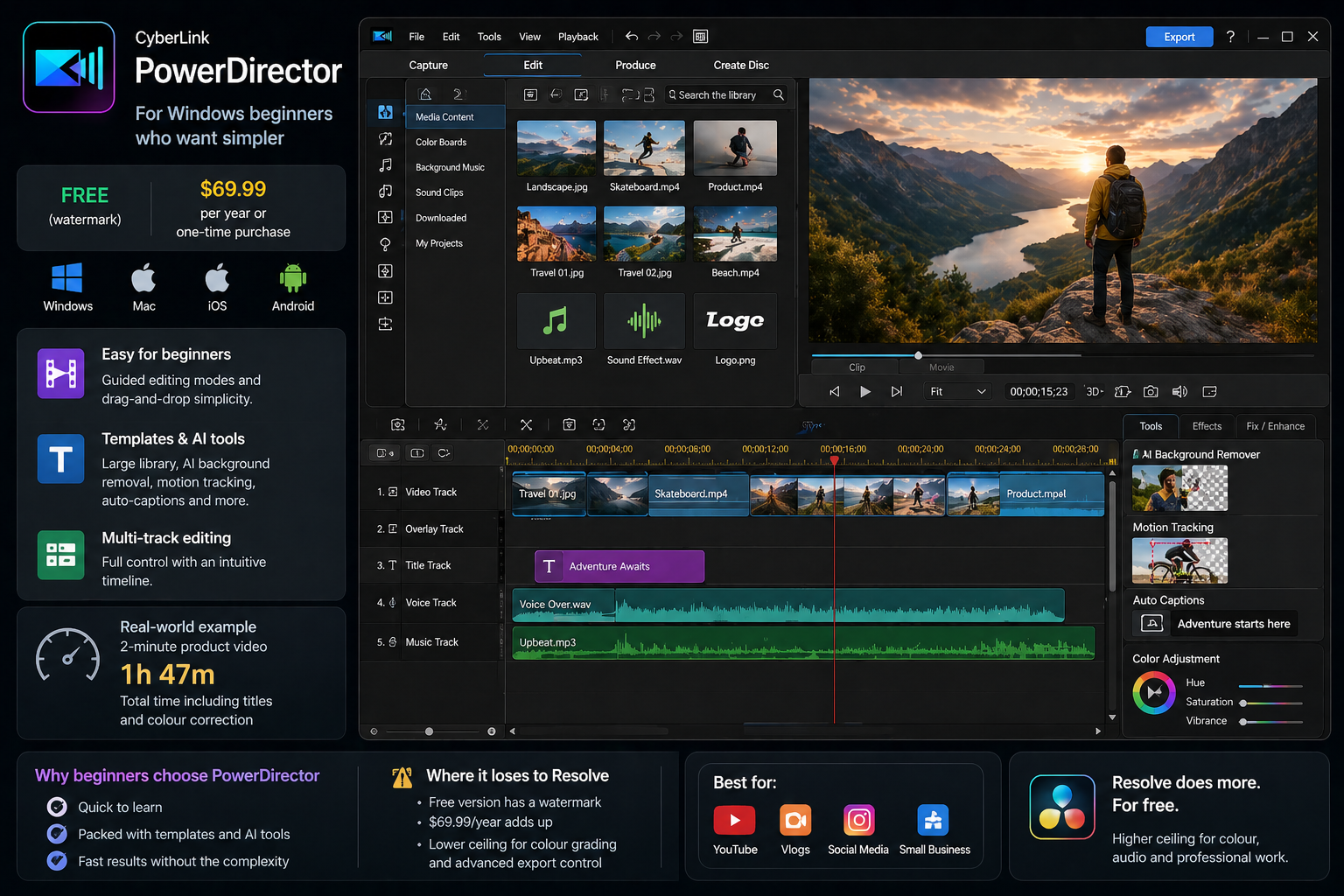
PowerDirector comes up consistently on TechRadar and PCMag for Windows beginners, and the reason is real — the interface is more approachable than DaVinci Resolve on day one. Guided editing modes, a large template library, AI tools for background removal, motion tracking, auto-captions. The 2026 release has the most significant UI redesign in years, cleaner on first look than its predecessors.
A collaborator edited a 2-minute product video in PowerDirector last year. One hour 47 minutes from import to final export, no prior experience with the tool. That pace is real for someone who hasn't yet learned Resolve's layout. No JKL playback shortcuts — more mouse-reliant than professional editors prefer — but irrelevant to someone who doesn't know those shortcuts exist yet.
The tradeoff is money. Free tier watermarks exports — it's a trial, not a free tool. At $74.99 per year PowerDirector costs money where Resolve costs nothing, and Resolve's ceiling is higher. PowerDirector earns its place when the shorter learning curve genuinely matters: for someone who needs to ship something in the next three days and doesn't have a week to get comfortable in Resolve.
CyberLink runs promotions frequently with discounts up to 50%. The $74.99 list price is often lower at time of purchase.
Clipchamp — for Windows users who need something right now
Free · Windows 10/11 built-in, browser
Learning curve: Easy · Our rating: 6/10
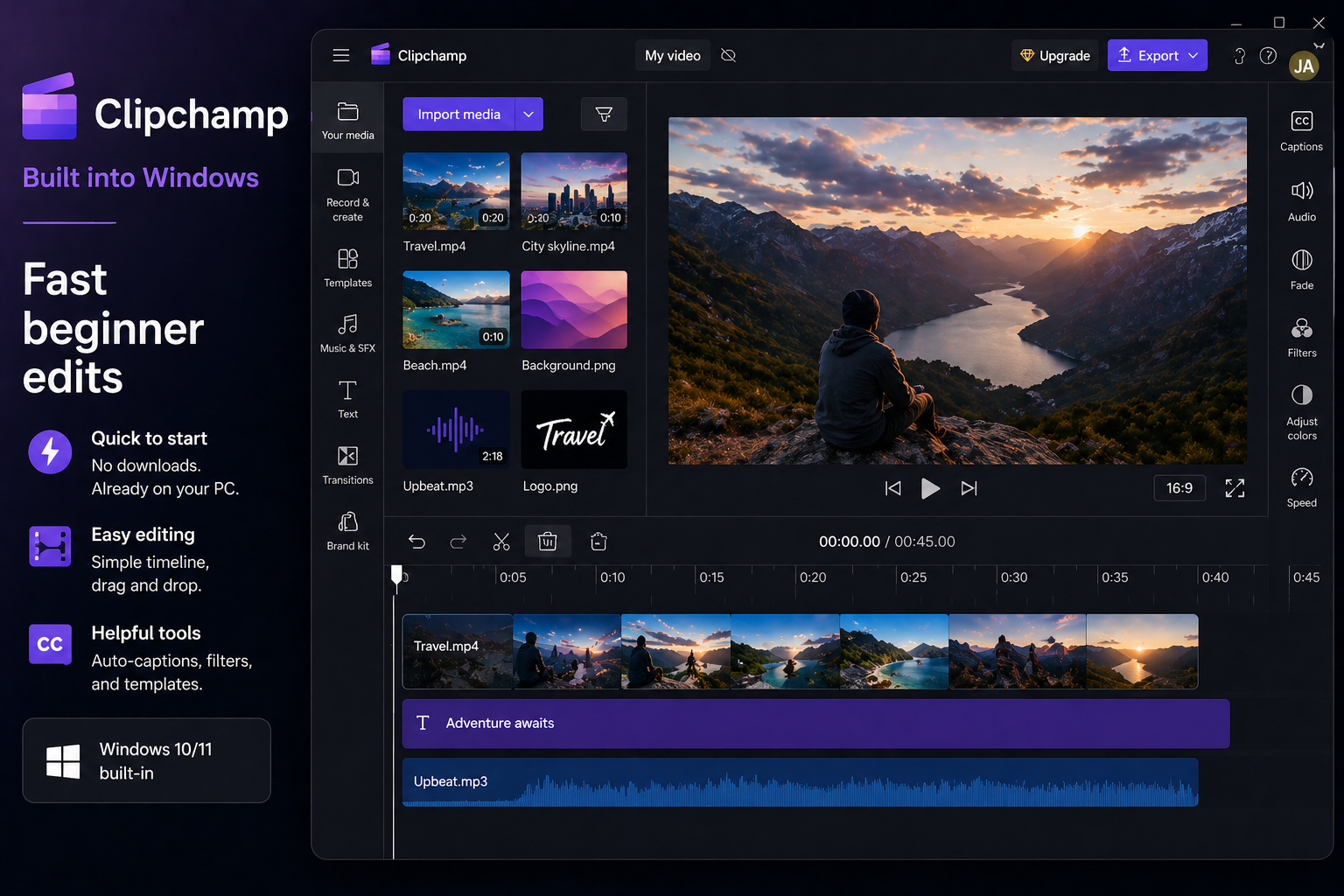
Clipchamp is Microsoft's editor, built directly into Windows 10 and 11. It's in the Start menu right now. No download, no account setup beyond a Microsoft login, 1080p export free without a watermark. Basic trimming, titles, templates for social content, auto-captions that work adequately.
The ceiling is low and intentional. No 4K export free, no serious colour tools, no multicam, no Log workflow. Not a tool to build a real editing practice around. It earns its place here because it removes every barrier between a first-time Windows user and their first edit — the tool is already installed, nothing requires a payment to start. On a test session producing a 90-second talking-head video, a first-time editor had a watchable cut in 34 minutes. That's what Clipchamp is for.
Filmora — for beginners who want simplicity and don't mind paying
Free (watermark on all exports) · Annual plan $59.99/yr · Perpetual from $99.99 · Windows, Mac, iOS, Android
Learning curve: Easy · Our rating: 7/10
Prices verified at filmora.wondershare.com April 2026. Wondershare runs frequent promotions — verify before purchasing. Note: the perpetual licence covers one major version; upgrades to future versions require a new purchase or subscription.
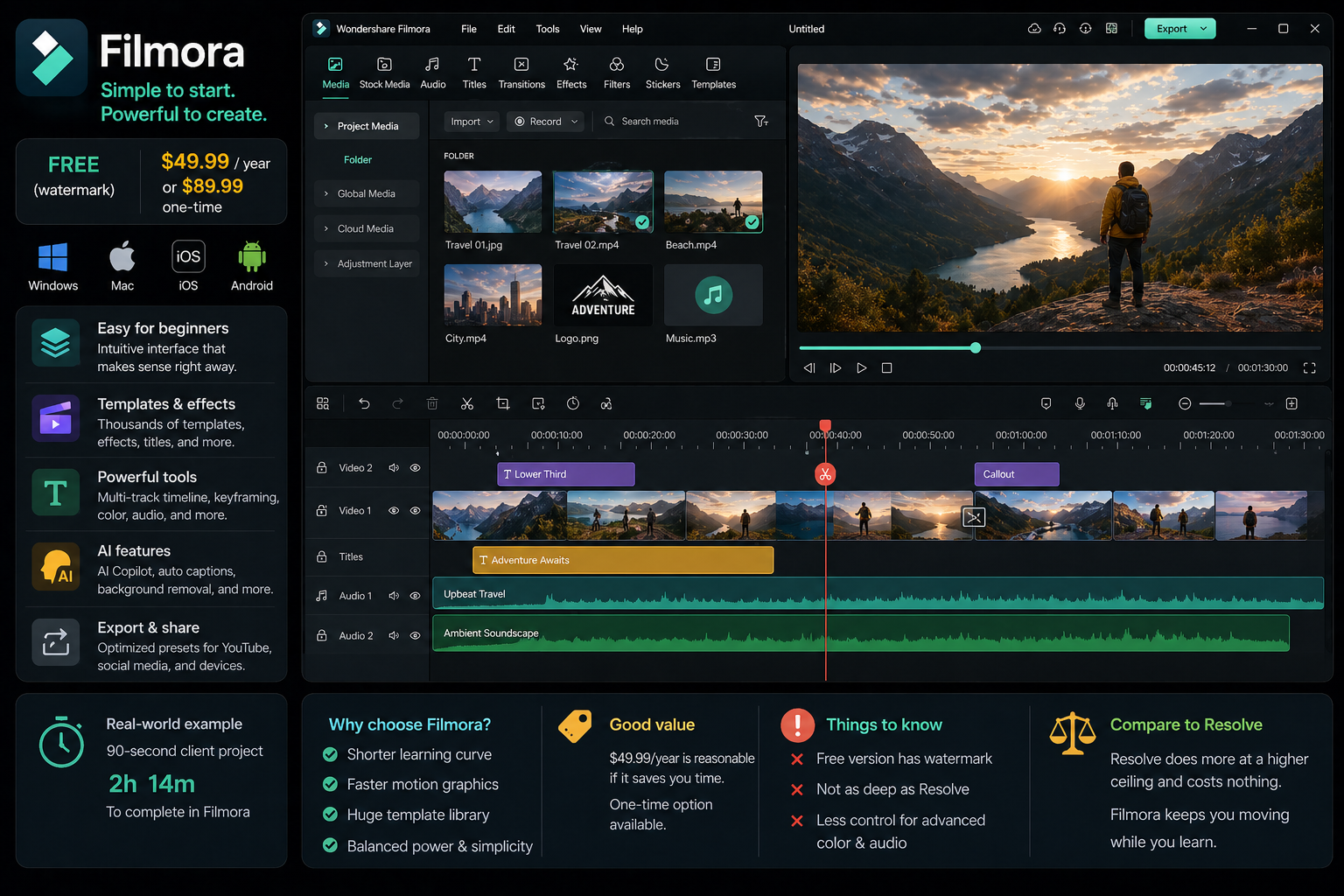
Filmora sits between consumer simplicity and professional capability — more templates and effects than DaVinci, better timeline control than CapCut, an interface that reads clearly on first look. The free version always exports with a watermark on every file. It's a trial.
The argument for Filmora over Resolve is specific: shorter initial learning curve, faster motion graphics workflow for beginners, and a template library that removes decisions before you've learned enough to make them yourself. At $59.99 a year it's reasonable if that faster path genuinely saves time. DaVinci Resolve free does more at a higher ceiling for nothing — but "free and more capable" only wins if you're prepared to invest the sessions.
On a 90-second client project, a collaborator edited in Filmora last year: 2 hours 14 minutes from import to delivery. The same project in Resolve by someone who knew Resolve well would have been faster. By someone who didn't know Resolve yet — slower. That's the actual case for Filmora: it removes the tool as a variable while you're still learning editing itself. Hidden costs worth knowing: advanced AI features run on credits that deplete, and premium Filmstock assets cost extra on top of the subscription.Comparison table
| Software | Price (verified Apr 2026) | Platform | Rating | Curve | Best for |
|---|---|---|---|---|---|
| CapCut | Free · Pro $19.99/mo or $179.99/yr* | All + phone | 8.5/10 | Easy | Social-first, short-form |
| iMovie | Free | Mac/iPhone/iPad | 8/10 | Easy | Mac beginners |
| DaVinci Resolve | Free · Studio $295 once | Win, Mac, Linux | 9.5/10 | Medium | Long-term growth, any project |
| PowerDirector 365 | Free (wmk) · $74.99/yr* | Win, Mac | 7.5/10 | Easy–Medium | Windows beginners, fast start |
| Clipchamp | Free | Windows 10/11 | 6/10 | Easy | Zero-friction first edit |
| Filmora | Free (wmk) · $59.99/yr* | Win, Mac, iOS, Android | 7/10 | Easy | Simple paid option |
wmk = free tier exports with watermark. * = list price, verify at vendor site — all run frequent promotions. CapCut Pro price varies by region; subscribing via app store costs more than capcut.com.
FAQ
What is the best video editing app for beginners in 2026?
For phone: CapCut free on Android and iOS. For desktop Mac: iMovie to start, Final Cut Pro ($299.99 one-time) when ready to invest. For desktop Windows: DaVinci Resolve free. For beginners who want the simplest paid desktop option and don't want to learn Resolve: PowerDirector 365 or Filmora. Note: Adobe Premiere Rush was discontinued September 30, 2025 and replaced by Premiere on iPhone (free, iOS only).
What is the best beginner video editing software for YouTube?
DaVinci Resolve free for longer YouTube content — proper timeline, colour tools, no watermark, no export limit. CapCut for YouTube Shorts. iMovie for Mac beginners on their first long-form videos. The consistent mistake is starting in Premiere Pro — steep learning curve, expensive subscription ($54.99/mo or $29.99/mo annual), and Resolve covers the same ground for free.
Is DaVinci Resolve good for beginners?
Yes, with a real upfront investment. The Cut page is genuinely accessible on day one. Most beginners feel lost for the first 2–4 sessions, then it clicks. The case for starting there despite the curve: Resolve has no ceiling. Everything you learn applies at the professional level. DaVinci Resolve 21 launched in beta at NAB 2026 with new AI tools, a Photo page, and significant Fusion updates — free update for Studio owners and the free version updates too.
Is Premiere Pro or DaVinci Resolve better for beginners?
DaVinci Resolve for most beginners. Free, no watermark, and the free version includes colour tools that Premiere Pro requires a paid subscription to access. Premiere Pro makes sense if you're already in the Adobe ecosystem or specifically targeting post-production jobs where Premiere is the studio standard.
Is video editing a good skill to learn in 2026?
Yes. Demand for edited video content is growing across social media, YouTube, and commercial work. DaVinci Resolve free means the barrier to entry has never been lower — professional-grade tools at no cost. The skill scales: what you learn making personal videos applies directly to paid work.
What is the best free video editing software with no watermark in 2026?
DaVinci Resolve free — full 4K export, no watermark, no time limit. iMovie — completely free, no watermark, Mac only. CapCut free — exports your own edited footage without a watermark at 1080p, but premium Pro-tagged templates and effects add a watermark until you subscribe. Clipchamp — free, no watermark, 1080p max, Windows only. Filmora and PowerDirector free tiers watermark every export. More free mobile options: Best Free Video Editing Apps for Mobile →
Can I edit music videos on free software?
Yes. DaVinci Resolve free handles music video editing at a professional level — multicam, AI beat sync markers (Resolve 20+), colour grading, Log footage, full Fairlight audio. CapCut handles short-form music content well. iMovie manages basic performance videos but won't handle Log footage or multi-camera sync reliably. Full breakdown: Free vs Paid Video Editing Software →
What happened to Adobe Premiere Rush?
Adobe discontinued Premiere Rush — stopped for download September 30, 2025, full shutdown September 30, 2026. Adobe replaced it with Premiere on iPhone (free, iOS only, launched late 2025) and the updated Adobe Premiere desktop app. On iOS, Premiere on iPhone is worth testing — free, no watermark, unlimited 4K exports, integrates with Premiere desktop for finishing.
What is the best video editing software for beginners on iOS in 2026?
CapCut free for short-form social content — fastest capture-to-post workflow. Premiere on iPhone for longer edits — free, no watermark, unlimited 4K, integrates with Premiere desktop. LumaFusion ($29.99 one-time on the App Store) for serious mobile editing — multi-track, proper colour tools, professional export. More on mobile editing vs desktop: Video Editing on Phone vs Desktop →
Is video editing software better on PC or Mac in 2026?
Both excellent. Final Cut Pro ($299.99 one-time) is Mac-only and the fastest editor on Apple Silicon — noticeably faster than Resolve on M-series chips for export and real-time playback. DaVinci Resolve and CapCut desktop work on both platforms. PowerDirector's Mac version lacks several Windows features including multicam editing. For pure value, Windows with DaVinci Resolve free gives the most capability per dollar.