How to Storyboard a Music Video
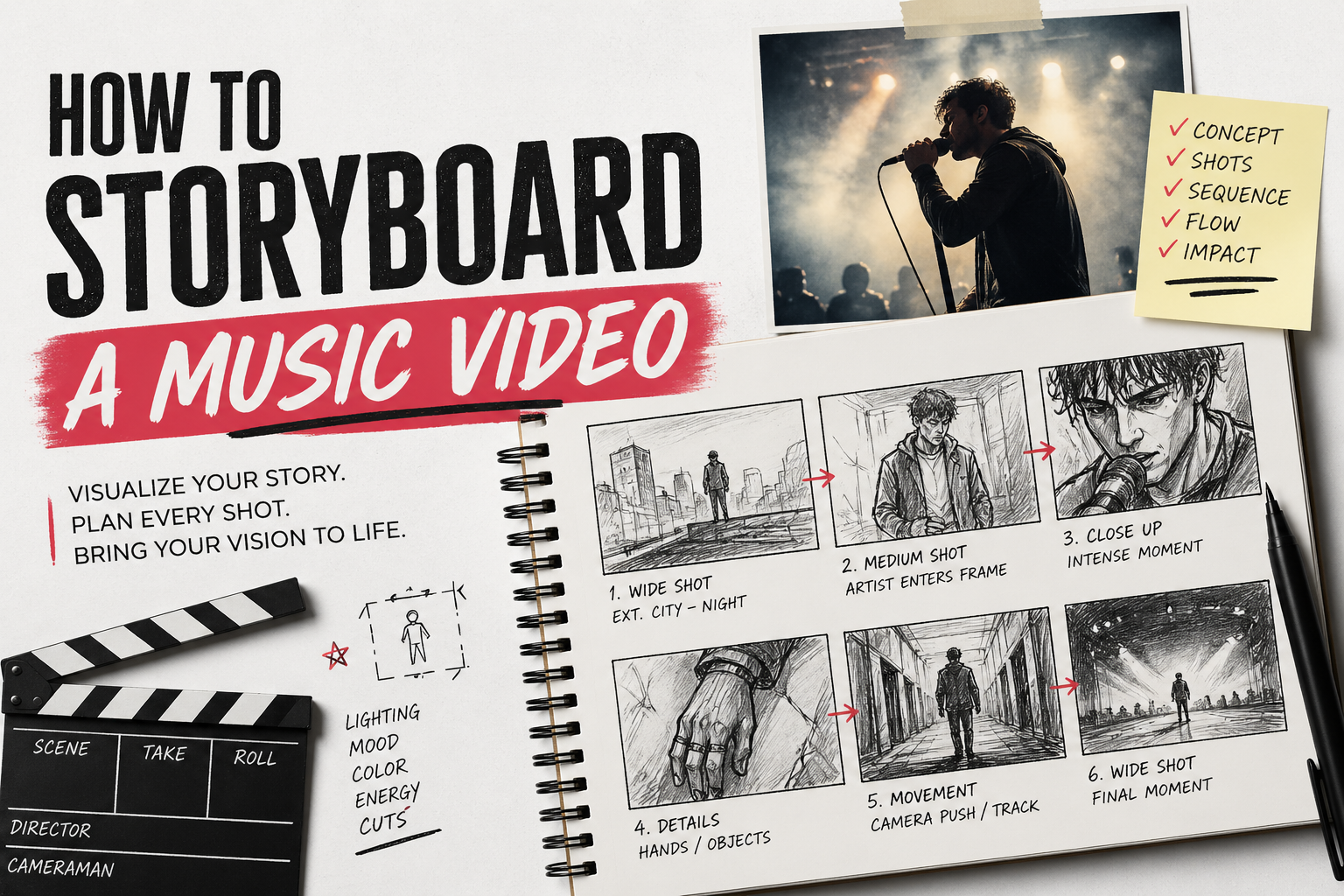
I showed up to a three-location shoot once with a shot list and no storyboard. The shot list had 22 setups. By lunch we'd done 9 of them — not because we were slow, but because I couldn't make decisions fast enough on set. Every setup required a conversation about framing that should have happened two days earlier on paper. We wrapped with 14 setups, one location we never used, and 40 minutes of the artist's time wasted standing around while I figured out what I actually wanted.
Quick answer: a music video storyboard is a sequence of rough drawings that shows what each shot looks like before you film it — framing, camera movement, what's in frame. You don't need to draw well. You need to make decisions before the shoot day so the shoot day isn't where you make them.
Do music videos actually need storyboards?
The honest answer from working directors is: it depends on what you're making, and it depends on whether you're working alone.
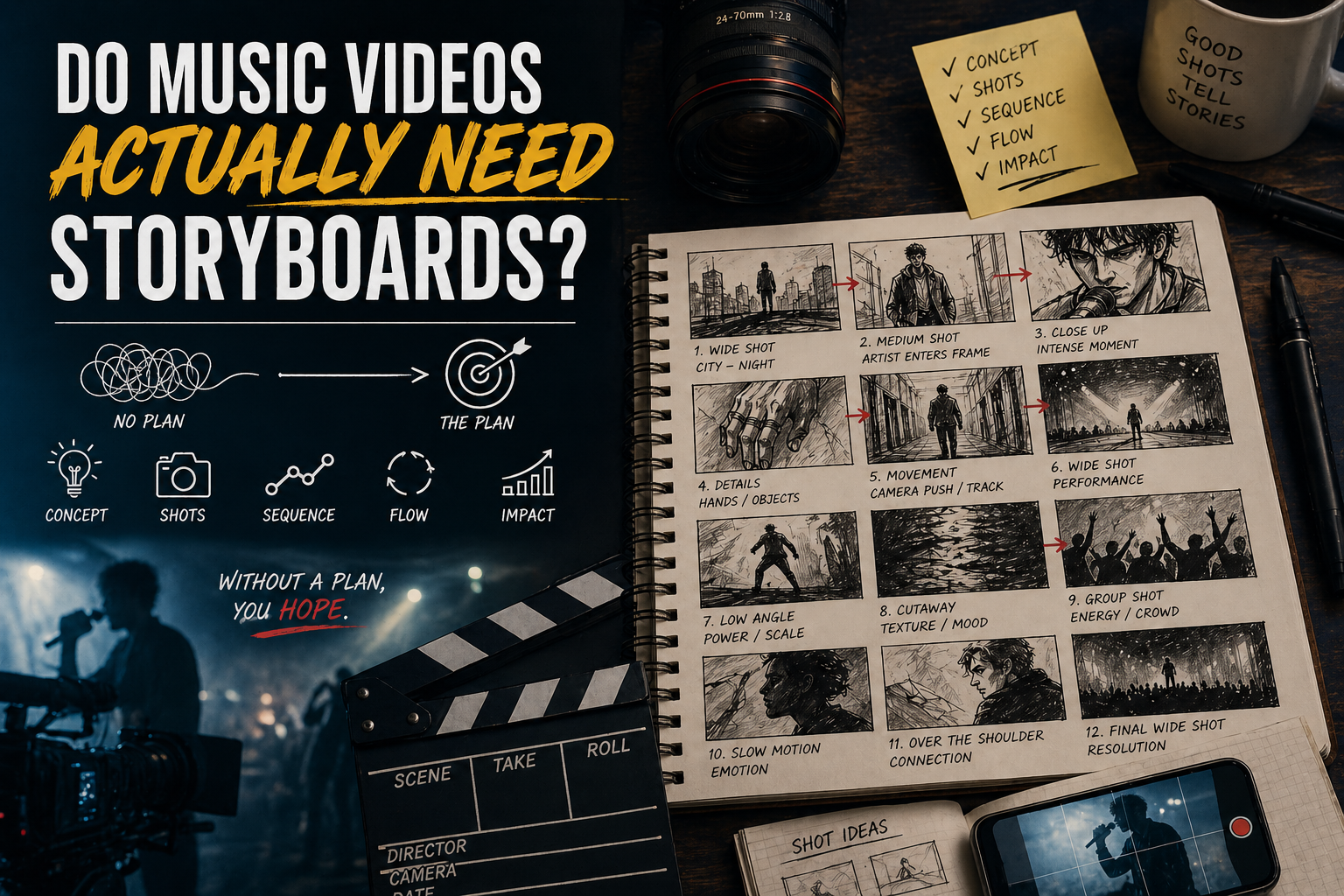
The top answer in a r/Filmmakers thread on this exact question: "Music videos are usually a free for all. Spend the day shooting and see what you can make out of it." That approach works — for experienced directors who've done enough shoots to carry a mental library of shot options, or for loose performance videos where the camera follows the energy. It stops working the moment you have a specific visual concept, a limited shoot window, or anyone else on set who needs to know what you're doing.
A storyboard is most critical when the concept requires a specific sequence of shots to make sense — a visual motif that builds across the video, a narrative thread, a choreographed moment that depends on coverage from multiple angles. Without a board, that sequence lives in your head and nowhere else. The camera crew works from what you tell them. The edit works from what you actually shot. When those three things don't match, you fix it in the edit — or you reshoot.
For a solo phone shoot with no crew, a storyboard is still useful, just less formal. A grid of 8–12 rough thumbnails drawn on a notebook page telling you what to shoot in what order is a storyboard. It doesn't require software. On a recent solo shoot for a three-minute track, that notebook page saved me from standing in a car park for 20 minutes trying to decide what came next.
What goes in each panel
A storyboard panel shows one shot. Each panel answers three questions: what does the camera see, what is the subject doing, and how does this shot connect to the next.
For a music video the minimum information per panel: a rough sketch of the composition — doesn't need to be detailed, stick figures with a sense of framing is fine — plus a note on shot size (wide, medium, close-up), camera movement if there is one (push in, pan right, handheld), and which section of the song this shot belongs to (verse 1, chorus, bridge).
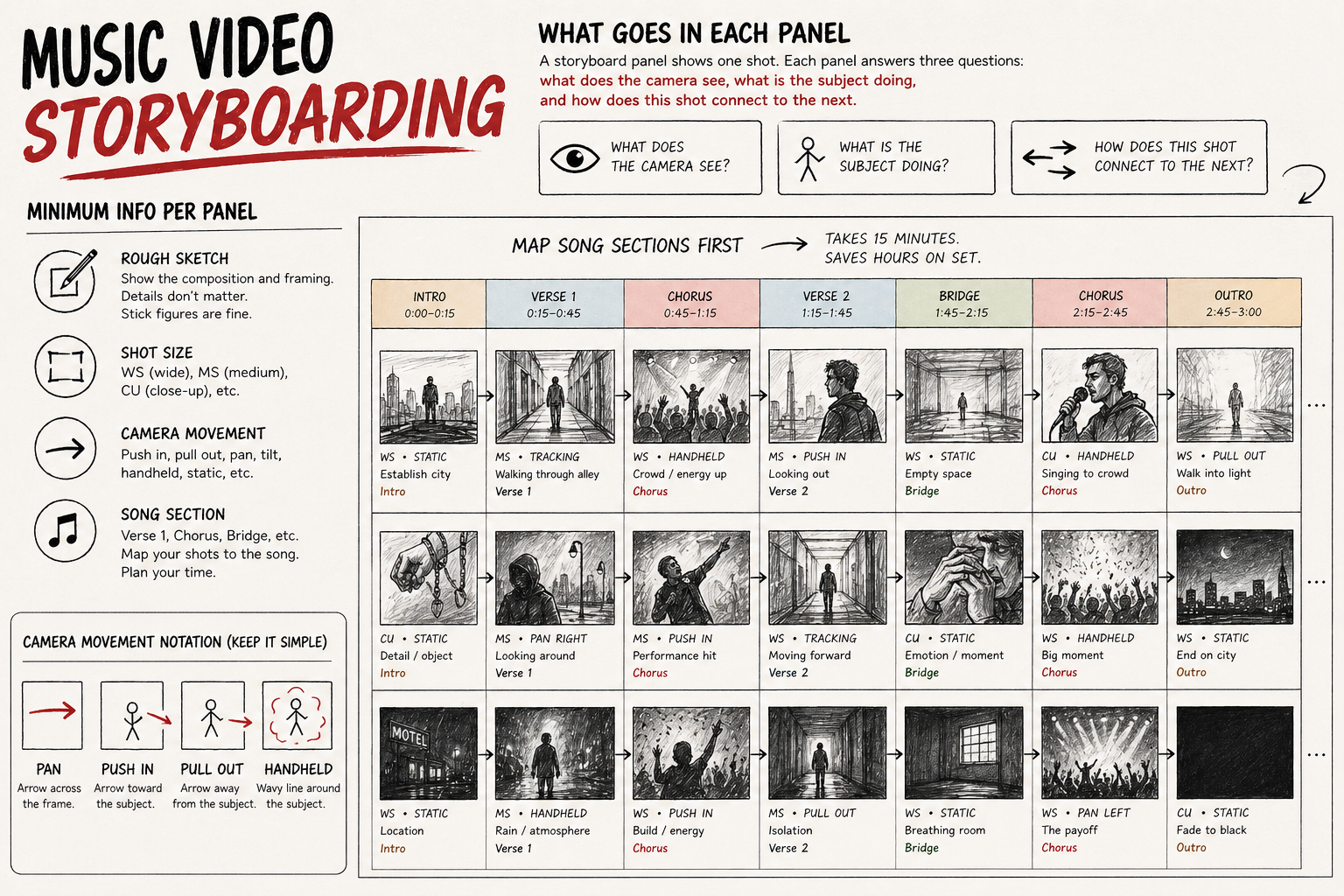
The note on song section is specific to music video storyboarding and most how-to guides underplay it. A three-minute video has roughly 8–12 distinct musical sections depending on the track structure. If your storyboard doesn't map shots to song sections, you arrive on set not knowing how many setups you need for the chorus and run out of time before the bridge. I map song sections across the top of the storyboard page before I draw a single panel, then fill the panels under each section. It takes 15 minutes and prevents an entire class of on-set problems.
Camera movement notation doesn't require memorising industry symbols. An arrow across the frame means the camera pans. An arrow pointing toward the subject means push in. An arrow pointing away means pull out. A wavy line around the subject means handheld. Simple. Consistent. Anyone on set reads it correctly.
How many panels you need
Fewer than you think, and more than one panel per shot if the shot involves movement.
For a three-minute performance video with one location and one artist: 20–35 panels is the useful range. Enough to cover all the setups you're planning without over-specifying shots that will be decided by light and energy on the day. A 3-minute music video at 24fps with average cuts every 2–3 seconds has roughly 60–90 cuts in the edit. You don't storyboard every cut — you storyboard every distinct setup.
For a concept or narrative video with multiple locations and choreography: 40–60 panels, sometimes more. These are the shoots where running out of coverage in one scene kills the edit. When I boarded a narrative video for a six-minute track last year, I ended up with 54 panels across 3 locations — about 18 per location. Shooting took 11 hours across 2 days. Every location finished with coverage to spare because nothing was figured out on the day.
If a shot involves significant camera movement — a slow push into a close-up during the final chorus, a track that moves with the performer — draw it as two panels: the start frame and the end frame. Single panel for a move only shows half the shot.
How to draw it when you can't draw
The same way OK Go planned the treadmill video — rough, functional, clear.
You're not making art. You're making a decision document. A rectangle with a rough outline of a human figure tells the camera operator whether this is a wide shot or a medium. An arrow tells them the camera moves. A word tells them what happens. That's a complete storyboard panel.
What matters is that the composition is readable — that someone looking at the panel for four seconds understands where the camera is, what size the subject is in frame, and whether anything is moving. I've boarded shots by photographing my own hand in different positions against a blank wall and sketching over the printout. I've done it with stick figures that took 45 seconds each. Both worked on set.
If you want digital tools: Boords is the most music-video-specific storyboarding tool, with templates built around shot sequences and song timing. StudioBinder has a free storyboard template that works well for smaller projects. If you're using AI image generation, the main problem is character consistency between panels — worth testing before the shoot, not during.
The one thing that kills otherwise functional boards: trying to make them look professional instead of making them look clear. I spent 3 hours drawing a 12-panel board with shading and detail once. A board I drew in 40 minutes on a different project communicated more because the compositions were obvious and the notes were longer.
Storyboard vs shot list — which one you actually need
Both, for different reasons, and most articles on this topic conflate them.
A storyboard shows what each shot looks like. A shot list is a technical document that tells the crew how to execute each shot — lens, camera settings, location, order of shooting, equipment needed. They answer different questions and serve different people on set.
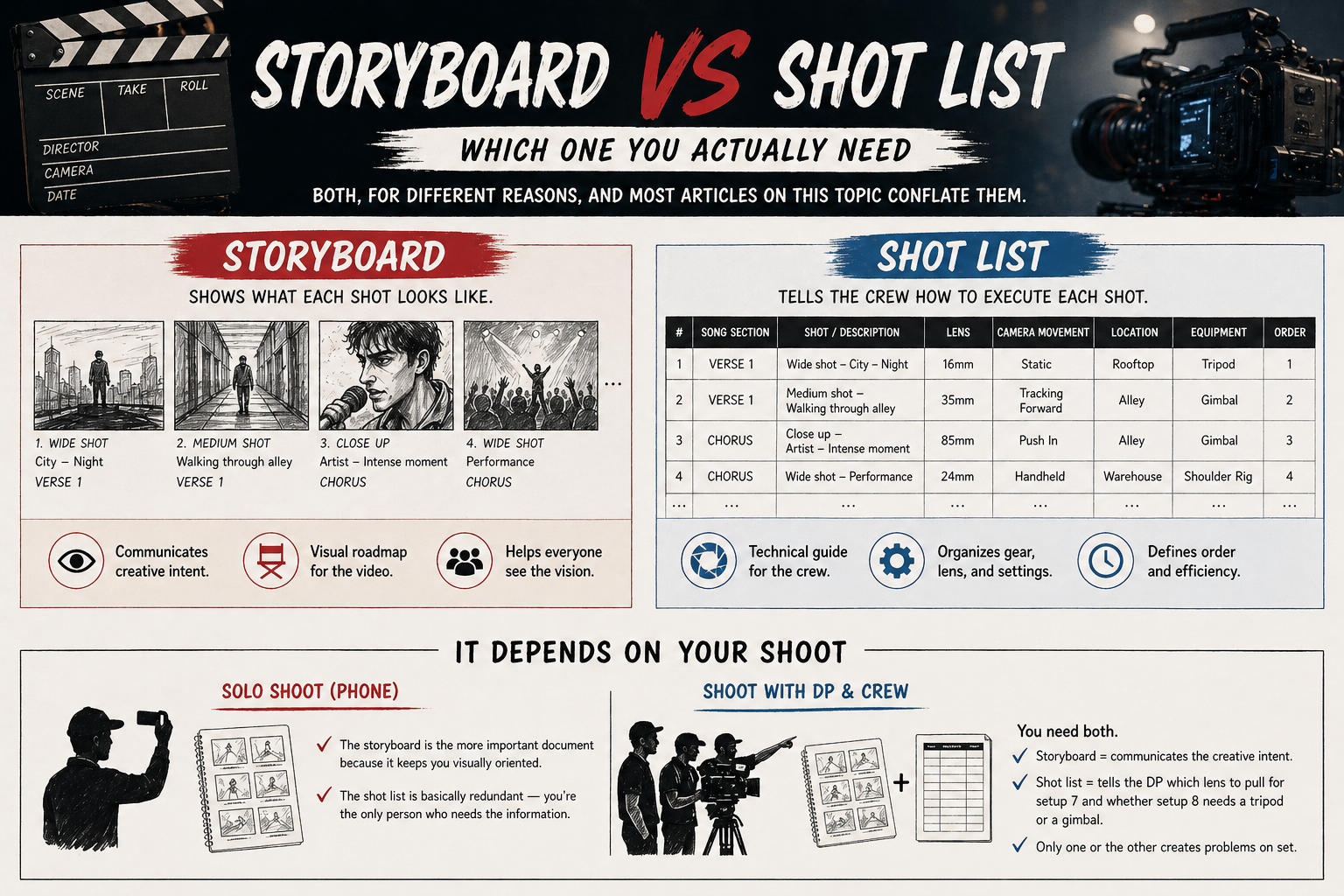
For a solo shoot with a phone: the storyboard is the more important document because it keeps you visually oriented. The shot list is basically redundant — you're the only person who needs the information.
For a shoot with a DP and a camera crew: you need both. The storyboard communicates the creative intent. The shot list tells the DP which lens to pull for setup 7 and whether setup 8 needs a tripod or a gimbal. Arriving with only a storyboard means the DP has to ask a lot of questions on set. Arriving with only a shot list means the camera operator doesn't know what the director actually wants the shot to look like.
The order: storyboard first, then build the shot list from the board. The board drives the vision, the list drives the logistics. More on how these decisions connect to what you're actually pointing the camera at: Best Camera Settings for Music Videos →
Free tools and templates
Paper and pencil is the fastest storyboard tool that exists and requires no login.
If you prefer digital: Boords has a free trial with music video-specific templates. StudioBinder's free storyboard template covers the standard panel layout and exports to PDF. Canva has basic storyboard layouts under its free tier that work fine for simple projects.
For AI-assisted storyboarding: the tools are improving fast but all share the same problem — character consistency across panels. If you generate a wide shot of your artist in panel 1 and a close-up in panel 5, the face will be visibly different unless you lock a character reference first. Useful for establishing the visual tone of a video, less useful as a literal shot-by-shot guide when a real person needs to match what the AI generated.
The storyboard template I use for music video work: a grid of 6 panels per page, each panel about 16:9 ratio, with a narrow column to the right of each panel for notes — shot size, camera movement, song section, any specific action the artist needs to know about. Nothing proprietary. Draw the grid in any document tool or print a free template from StudioBinder and you're done. More on the full pre-production process and how the storyboard connects to the shoot day: How to Write a Music Video Treatment →
FAQ
How to create a storyboard for a music video? Listen to the song and map the structure: verse, chorus, bridge, outro. Decide what visual approach serves each section. Draw one panel per shot setup — rough composition, note on shot size, camera movement, and song section. Aim for 20–35 panels for a three-minute performance video, more for narrative or multi-location shoots. Start with paper. Move to digital only if it's faster for you.
Do music videos have storyboards? Most professional music videos do, especially concept and narrative videos. Performance-heavy videos with loose direction often skip the formal storyboard in favour of a shot list or no document at all. The more specific your visual concept, the more a storyboard earns its time investment. OK Go, whose videos depend on precise sequences of choreographed shots, boards everything. A performance video shot in a single location with a handheld camera might not need one.
What are the 7 steps in storyboarding? Listen to the song and identify key visual moments. Map the song structure. Write a one-sentence concept for each section. Sketch rough thumbnails for each major setup. Add notes: shot size, camera movement, subject action. Check that the panel count covers your available shoot time. Share with the crew before the shoot day. The step most people skip: checking that the number of setups you've planned fits in the time you have.
How to structure a music video? Performance videos: establish the artist in the space, build through the verse, push closer in the chorus, pull back for contrast in the bridge, finish with the widest or most visually resolved shot. Narrative videos: follow the song's emotional arc — the structure of the music usually gives you the structure of the edit. For either type, the storyboard is where you test whether your structure actually works before you're standing on set finding out it doesn't. Full breakdown of planning a no-budget shoot: How to Make a Music Video Without a Budget →
What software is best for storyboarding a music video? Boords for a music-video-specific tool with good templates. StudioBinder for a free option that covers standard panel layouts. Canva for basic layouts if you're already in the tool. Paper for the fastest option that requires no setup. AI tools (Shai, Katalist) for visual tone-setting, with the caveat that character consistency across panels remains a real limitation.
How to storyboard a music video for free? Paper and a pen. Draw a grid of rectangles in 16:9 ratio — six per page works. Sketch rough compositions. Add notes. That's a storyboard. If you want a printed template: StudioBinder and Boords both offer free downloadable storyboard templates. The format doesn't determine the quality of the board. The decisions you make do.
Can I storyboard a music video on my phone? Yes. The Notes app with rough sketches works. There are dedicated storyboard apps (Storyboarder, Canva) with mobile versions. The limitation is screen size — composing panels on a small screen is slower than on paper or a larger display. For anything over 20 panels, paper or a tablet is faster.