How to Shoot a Music Video Alone (No Crew)
The first time I tried to shoot a music video by myself, I spent three hours setting up a single location, kept running back to the camera to check focus after every take, and ended the day with 47 minutes of footage I couldn't use. The artist was patient. I was not. Half the shots were slightly soft because I'd set focus on a stand-in and then moved three inches to the left when I actually performed.
Shooting a music video alone is a different discipline from solo vlogging or talking-head content. You're performing, not presenting — which means the camera needs to be locked and reliable while you're in front of it, sometimes for thirty takes in a row. Everything a camera operator, focus puller, and director would normally handle has to be solved in pre-production, because you can't solve it in the moment.
Plan for what you can do alone, not for what you'd do with a crew
The biggest mistake is trying to replicate a crew-shot production with one person. Crane moves, precise camera pans that follow action, complex lighting setups that need constant adjustment — none of these are impossible alone, but they multiply your setup time by a factor that kills the day.
Performance in a single location with locked camera angles works. Walking-through-location shots where the camera stays static and you move work. Handheld self-shoot at arm's length for close-ups, split-screen performance using the same location twice. On my second solo shoot — a 3-minute track — I locked myself to two locations and came back with 31 usable shots. The constraint forced a cleaner visual idea than anything I'd planned when I thought I'd have a crew.
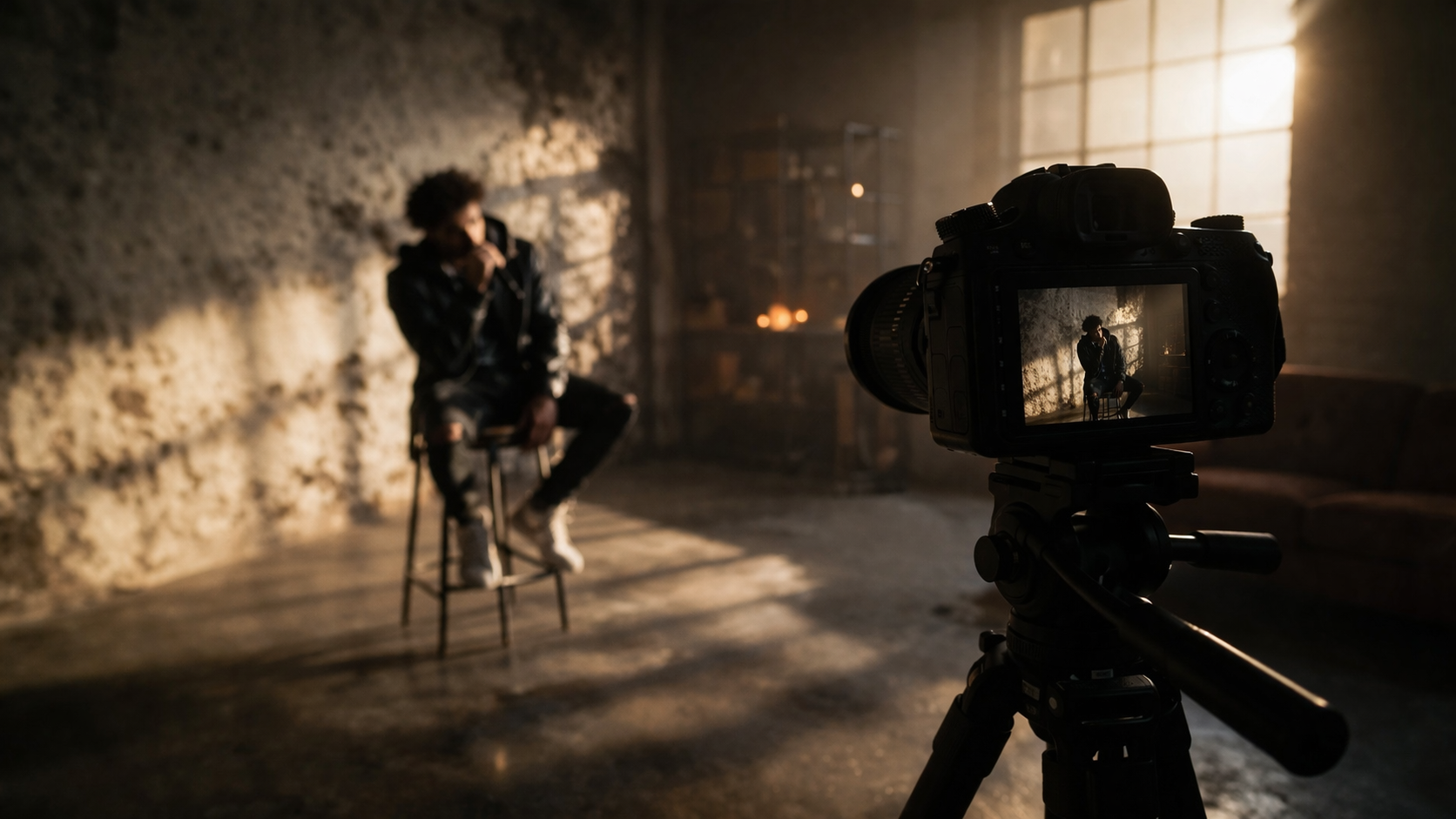
The best solo music videos don't try to look crew-shot. They use the limitations. A single room, strong light, interesting wardrobe, a performance that carries the frame — that's a complete video. Before you write a shot list, ask one question: can I set this shot, walk in front of it, and shoot it ten times without adjusting anything? If the answer is no, rethink the shot.
Good starting points for solo concepts: performance against a textured wall, walking through urban or natural environments with camera on tripod, self-driving close-ups with camera handheld at arm's length, bedroom studio performance, silhouette against a window, anything where strong lighting does the visual work instead of production value.
Solve focus before you solve anything else
Focus is the thing that ends solo shoots. You nail a take, watch it back, you're slightly soft — and there's nothing to do except go again. If your focus system isn't right, you'll lose a third of your takes to this alone.
Face detection autofocus changes solo shooting fundamentally. Sony A7 series, Canon EOS R series, Fujifilm X-T series — any camera with reliable eye-detect AF locks to your face and holds it while you perform. I switched to a Sony A7 IV for solo work specifically for this. Before that, on a manual-focus DSLR, I was losing roughly 4 out of every 10 takes to soft focus without realising it until playback.
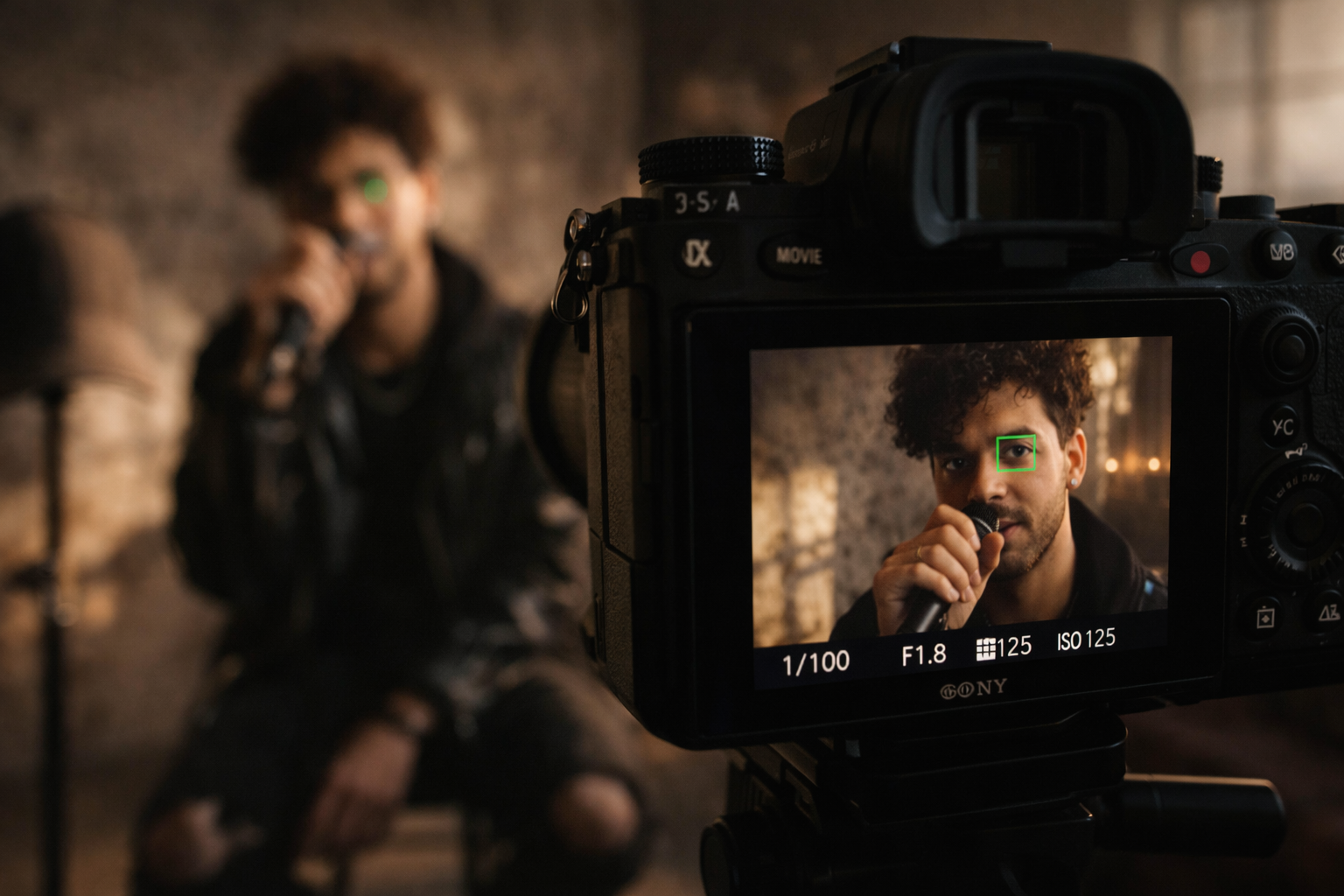
If you're on a camera without face detect, use a stand-in: place an object at the exact position your face will be — a hat on a light stand works well — focus on it manually, then lock focus before you walk in. Stop down to at least f/4 for a depth-of-field buffer. At 50mm and f/1.8, a three-inch movement in any direction takes you out of the plane.
On a phone: every modern flagship has face detection that rivals mid-range mirrorless cameras. iPhone 15 Pro in Cinematic mode, Samsung Galaxy S24 Ultra — both track faces reliably and shoot in formats that grade well in post. If your dedicated camera is fighting you on focus, shoot on the phone. Nobody watching on TikTok or YouTube will know.
Use a tripod for locked shots and a gimbal for everything else
A tripod is what makes the shot repeatable. You set the frame once, press record, walk in, perform, walk back, check playback, adjust performance, repeat. Get a fluid head rather than a ball head — a fluid head with drag damping absorbs the vibration from pressing record or bumping the legs. A ball head locks rigid positions that transfer every small movement directly into the frame.
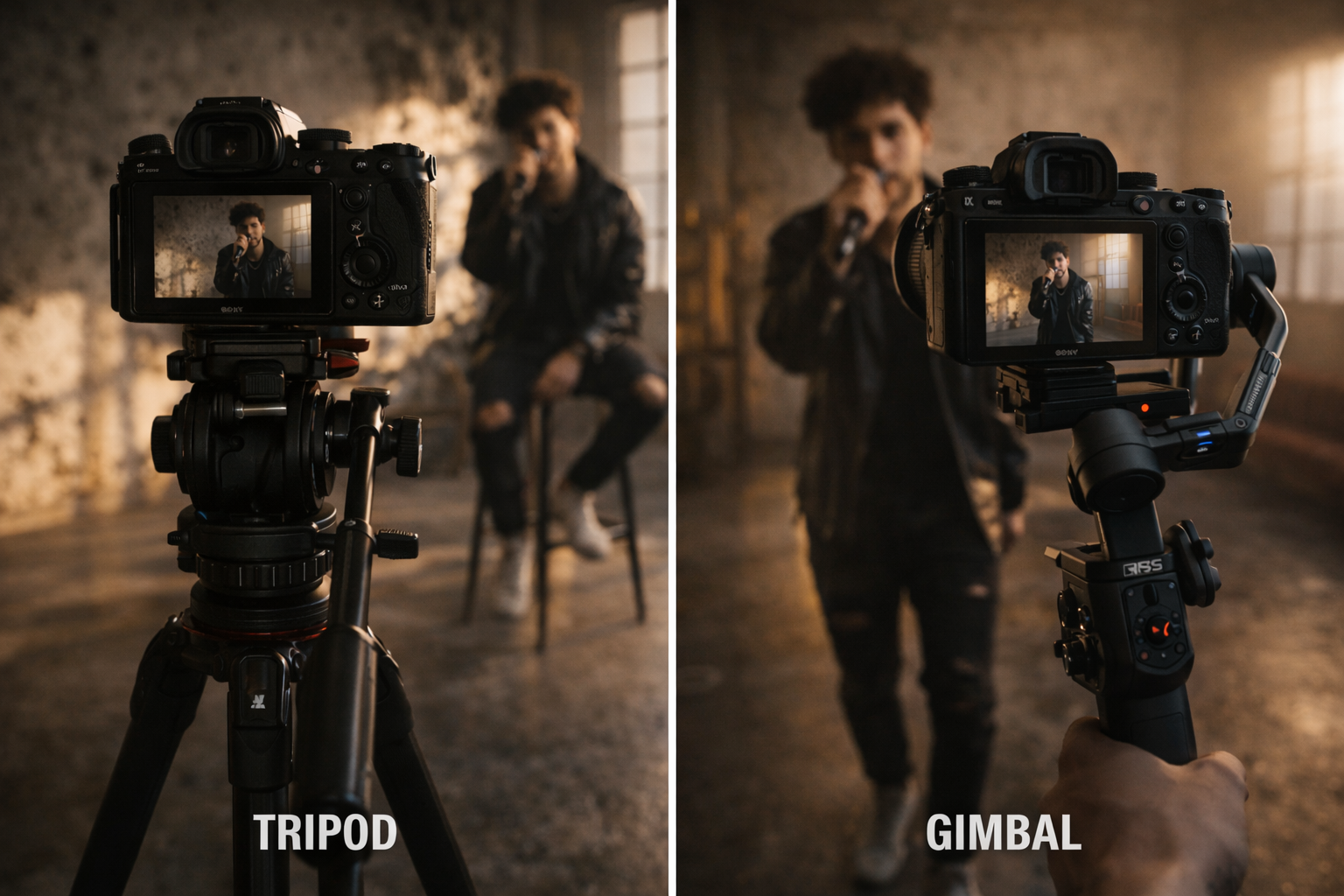
For movement shots — walking through a location, approaching camera, anything with the artist in motion — a gimbal solves the stabilisation problem that would normally require an operator. The DJI RS 4 works with most mirrorless cameras and handles up to 3kg. The workflow: set frame on gimbal, press record via remote, walk to starting position, perform the shot, walk back. For a walking-toward-camera shot it takes about 7 attempts to get walk speed, timing, and performance aligned. Annoying. Also completely doable.
One trick from solo filmmakers: loosen your tripod head friction slightly so the camera drifts slowly when unlocked. You get gradual natural movement with no one operating. Takes five minutes to set up, costs nothing.
Light with the sun, not against it
Professional lighting setups require at least one other person to adjust while you're in front of the camera. Solo work means lighting that can be set once and left.
Golden hour is your baseline — the 45 minutes after sunrise and before sunset. The light is directional, warm, and soft enough that you need no modification. I've shot 23 minutes of clean usable music video footage in a single golden hour session with nothing but a tripod and available light. No reflector, no fill, nothing to adjust between takes.
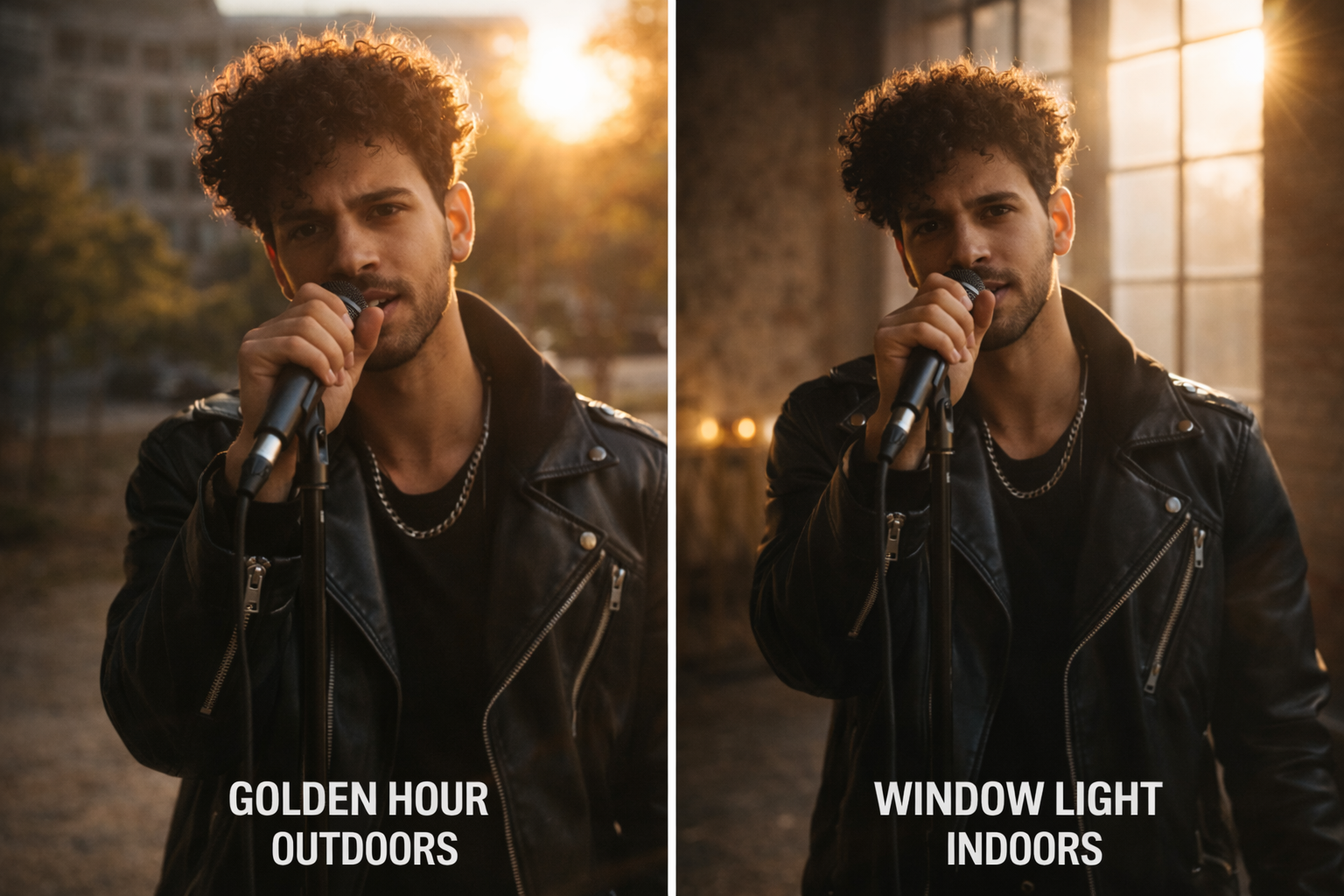
For interior work: position yourself facing a window. Natural window light to your front-side acts as a large, soft key light. The larger the window, the softer the light. If direct sun is creating harsh shadows, tape a single layer of white paper or a shower curtain over the glass — instant diffusion, zero cost.
Midday outdoors: find open shade. Under a tree, in a doorway, on the shadow side of a building. The light is flat but even and you're not squinting. Add a piece of white foamboard ($3 at any craft shop) opposite the light source to give direction to the flatness.
The mistake is building a three-point lighting rig alone. You'll spend 90 minutes on lights and 30 minutes shooting. Invert that ratio.
Your shot list is your crew
With a crew, shot coverage happens through collaboration. Alone, if it isn't on your list before you leave the house, it doesn't get shot. Write specific shots — not loose ideas. Wide static facing left, medium static facing right, close-up hands, over-shoulder from behind, walking toward camera. For a three-minute video you need roughly 15–20 shots to cut from. Twenty shots alone is achievable in a half-day.
Assign each shot a setup time before you start. A locked wide shot takes 3 minutes to set. A gimbal move takes 15. Add those numbers up and you'll know whether the day is realistic before you drive anywhere.
Cover every shot at least three times: one for performance, one backup in case the first had a problem you didn't catch, one for editing alternatives. In a crew shoot, coverage comes from multiple simultaneous angles. Alone, it comes from repetition. Three takes per shot, 20 shots: sixty takes total. At two minutes per take including the walk back and reset, that's two hours of shooting. Add setup time — you have a half-day shoot. That's your realistic solo day.
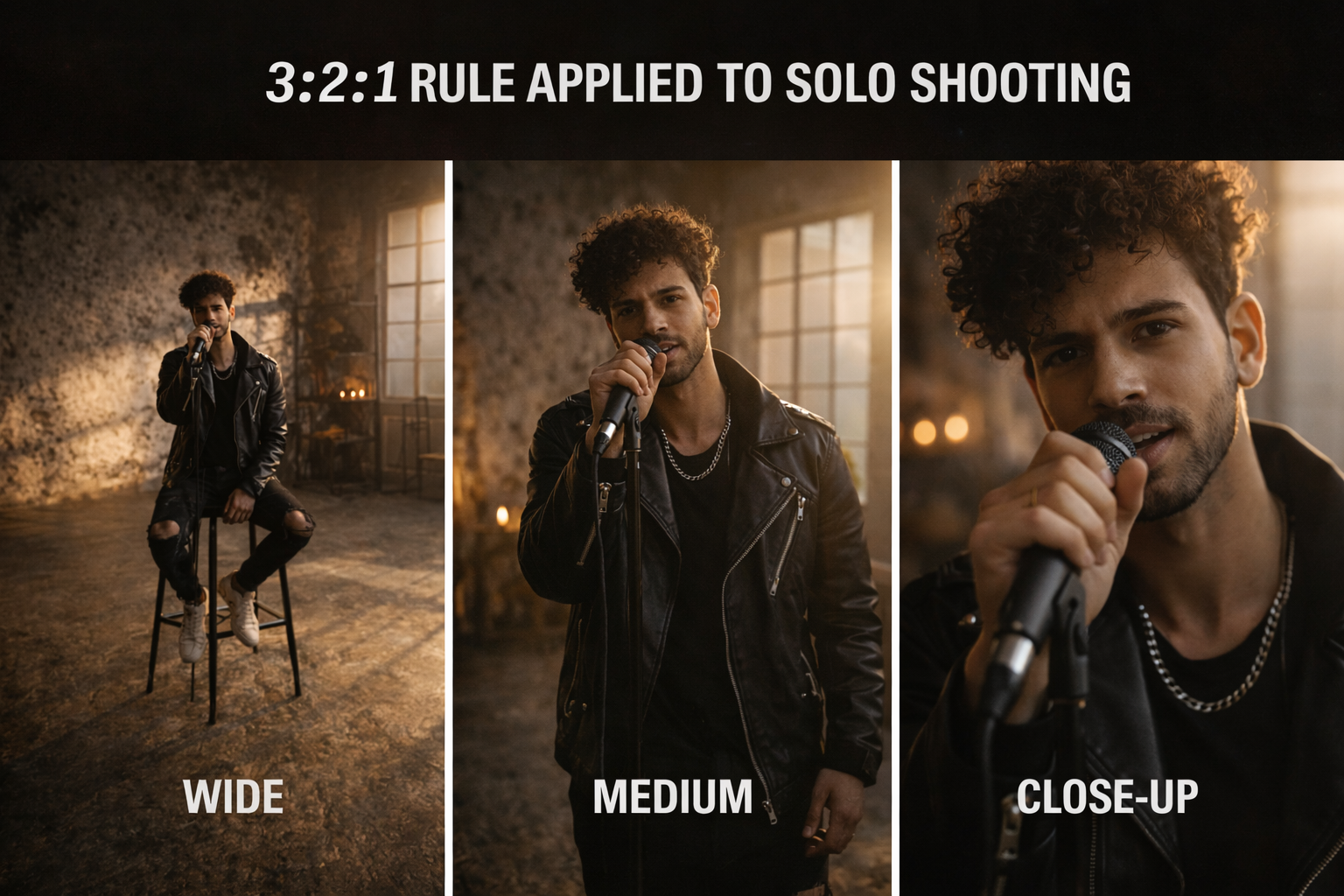
The 3:2:1 rule applied to solo shooting: 3 different framings of the same performance (wide, medium, close), 2 takes of each at minimum, 1 safety take of anything critical. It's not a rigid formula but it maps well to solo coverage logic.
Sync your audio and save yourself the edit
For a lip-sync performance video, play the final mix through a speaker loud enough to hear clearly at performance distance. Not headphones — you can't mime convincingly to audio you're not physically responding to, and the disconnect shows in every take.
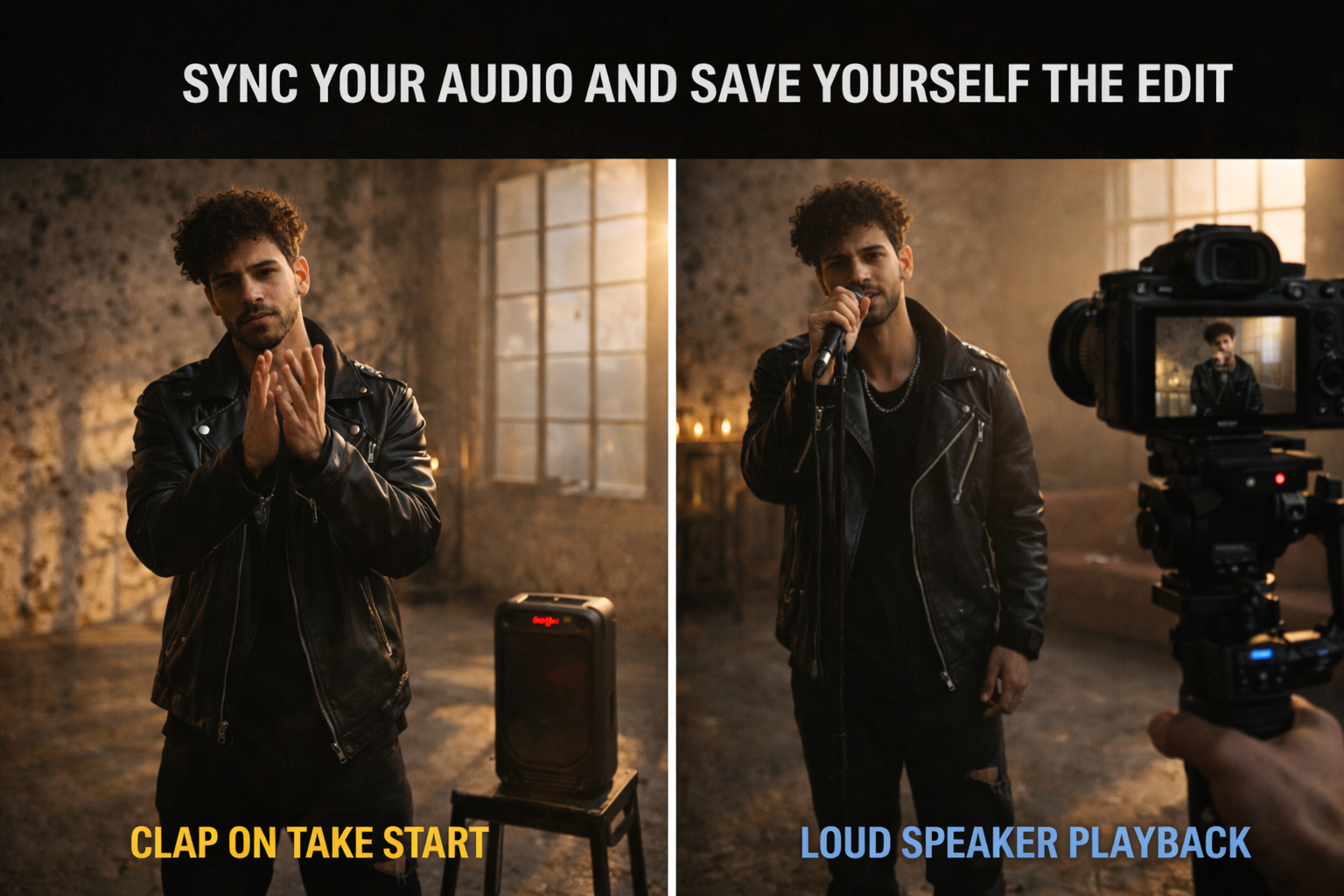
I lost seventeen takes on one track because I was monitoring through earphones in one ear rather than committing to a speaker playback. The lip sync looked fine on the day. Every take in the edit looked like the sound was somewhere else. Switched to speaker, nailed the next three takes, moved on.
Clap on the first beat at the start of every take — one visible clap in frame right as the intro hits. In the edit this gives you a sync point for every take without a clapperboard or a second person. For the edit itself: sync your best performance take to the master audio, then cut picture to that track, replacing sections with better takes as needed. Every cut is motivated by the music. More detail on the beat-sync editing process in How to Edit a Music Video: Sync Cuts to the Beat →
FAQ
Can you shoot a music video by yourself? Yes, and the results can look crew-shot if the pre-production is right. The constraint is not capability — it's time. A two-person shoot that takes four hours takes eight hours alone. Plan accordingly, limit your locations, and solve focus and audio before you leave the house.
What's the best camera for shooting a music video alone? Any camera with reliable face-detection autofocus. Sony A7 series and Canon EOS R series are the standard recommendations — both track faces through fast movement reliably. Check current specs at B&H Photo. If budget is a constraint, a recent iPhone or Samsung flagship with face detection in video mode is a legitimate alternative that most viewers can't distinguish from dedicated camera footage.
How do I shoot a low-budget music video alone with no gear? Phone on a tripod or propped on a stable surface, window light, one location, and a concept that plays to the intimacy of solo work rather than against it. Some of the strongest solo music video aesthetics — bedroom close-up, single-light portrait, handheld following action — cost nothing to execute. The budget constraint forces visual decisions that often look more considered than a poorly funded attempt at a big production.
How many locations can I realistically shoot in one day alone? Two, maximum three if they're close together. Moving gear, resetting framing and lighting, and performing at each location takes far longer than expected. One strong location with multiple angles produces a better video than three weak locations with single angles each.
How do I get camera movement with no operator? Loosen the tripod head friction so the camera drifts slowly — gravity gives you a natural slow pan or tilt. A motorised slider with a timer. A gimbal set to follow mode with a timer start. Or simulate movement in post by slowly pushing in on a 4K frame exported at 1080p. You can also repurpose footage across platforms — more on that in How to Repurpose Long Videos into Short Clips →
What's the 3:2:1 rule in video editing? For solo shooting it means: 3 framings per scene (wide, medium, close), 2 takes of each, 1 safety take of anything that can't be reshot. More broadly in editing it refers to three shots in sequence before cutting — wide, medium, tight — to establish location, subject, and detail. Both interpretations are useful for solo music video work.
What is the 3 minute rule in music videos? It's an informal guideline suggesting videos under 3 minutes perform better algorithmically on YouTube and streaming platforms because completion rate is higher. For solo shooting it's relevant practically — a 3-minute track shot in one day alone is achievable. A 5-minute track with the same concept requires either a much longer shoot day or fewer total shots, which limits your edit options. If you're shooting a longer track solo, build a tighter shot list and accept that you'll cut some of it.
Do I need B-roll if I'm shooting alone? Not necessarily, but it helps. B-roll for a solo music video can be anything that isn't the performance — close-ups of hands, feet, objects, environment details, abstract texture shots. These are easy to shoot alone because there's no performance pressure. Grab 8–10 B-roll shots at the end of each location setup while the camera is already in position. In the edit they become breathing room between performance cuts and help disguise jump cuts when you don't have a better angle to cut to.
Do I need a light kit? Not for daytime interior shooting. A window with good natural light is a soft key light — a legitimate professional technique. Add a piece of white foamboard opposite the window to fill shadows. A full LED panel kit is useful for night shooting or rooms with no usable windows, but for daytime work it's optional.