CapCut vs DaVinci Resolve: I Used Both for a Year. Here's the Truth.
Let me be straight with you.
Every comparison article online gives you the same answer: "CapCut is for beginners, DaVinci is for pros." Then they paste a feature table and call it a day.
That's not helpful. Because the real question isn't which one has more features — it's which one will actually make your videos better right now, given how you work and what you're making.
I've used both. Here's what nobody tells you.
The thing both tools get wrong about themselves
CapCut markets itself as simple. DaVinci markets itself as professional. Both are half-true.
CapCut isn't just a beginner tool — working editors at major media companies use it daily to cut social versions of campaigns. It's fast, it's smart, and its AI tools in 2025 are genuinely impressive. Calling it "basic" is like calling a Swiss Army knife basic because it's not a chef's knife.
DaVinci Resolve isn't just for Hollywood. The free version is more powerful than what most creators will ever need. Oppenheimer was color-graded in it. So was your favourite music video. The tools are the same — you just have to be willing to learn them.
The real difference isn't skill level. It's workflow philosophy.
CapCut: built for people who publish, not people who perfect
Open CapCut and you can have something shareable in 20 minutes. That's not an exaggeration.
The template library is enormous and actually good — not the generic trash you find in most editors. They're tied to what's trending on TikTok and Reels right now. Auto-captions work. Background removal works. The AI reframe tool — which resizes your footage for different platforms automatically — saves hours every week if you're publishing across multiple channels.
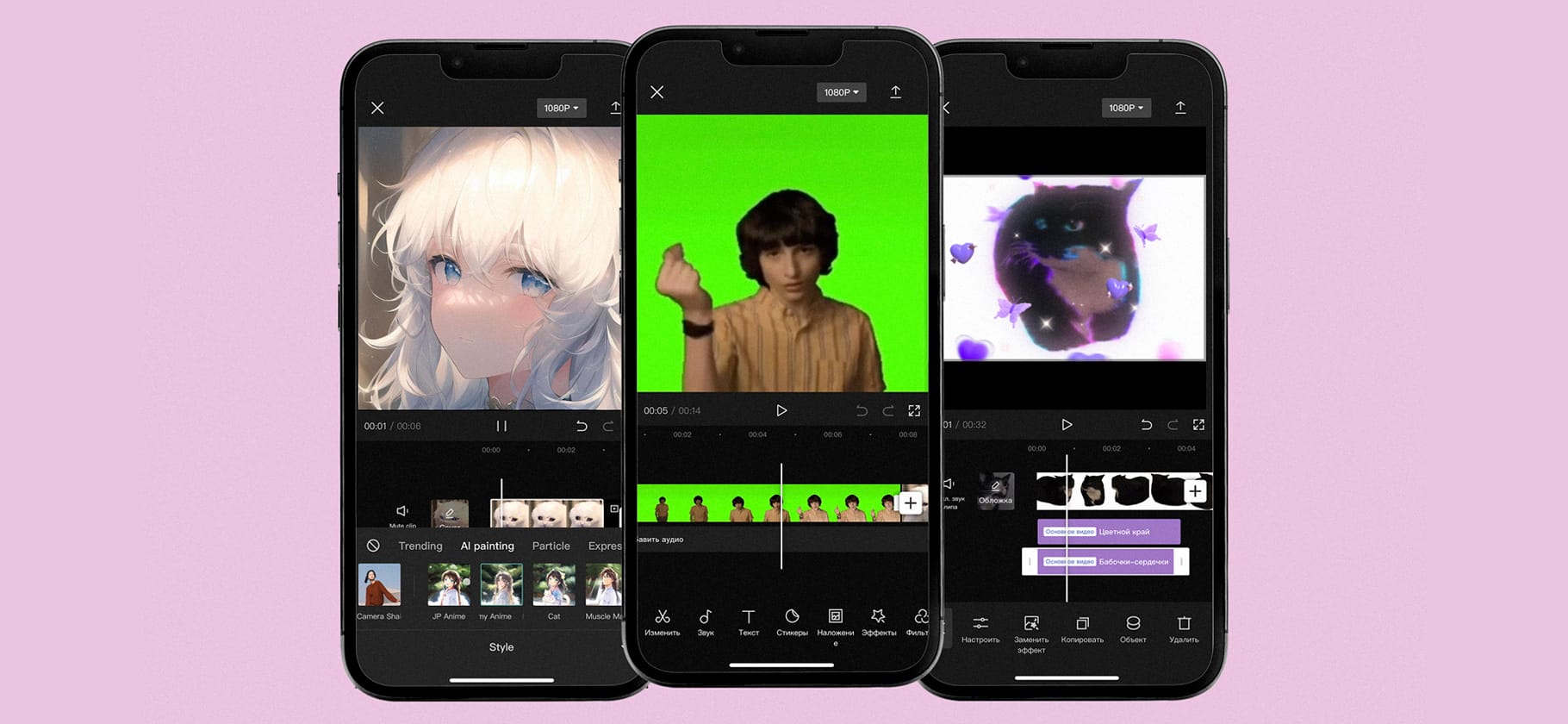
Where CapCut breaks down: multi-track editing. Try to edit a complex timeline with multiple video and audio layers and you'll hit walls fast. Ripple trim a cut and your text layers go out of sync. It's maddening. This isn't a bug — it's a design choice. CapCut assumes you're not doing complex work. For a 90-second TikTok, that's fine. For a 4-minute music video with layered visuals and a precise audio sync? You'll be fighting the software the whole time.
CapCut's honest use case: short-form content, social media, fast turnaround, phone editing, anything under 3 minutes where speed beats perfection.
DaVinci Resolve: the editor that treats you like an adult
DaVinci Resolve has a learning curve. That's real. But it's not the steep cliff people describe — it's more like a staircase with a lot of steps.
The first hour you'll learn: how to import footage, build a basic timeline, trim clips, export. That covers 80% of what most people actually do. The other 20% — color grading, audio mixing, visual effects — you learn when you need it.
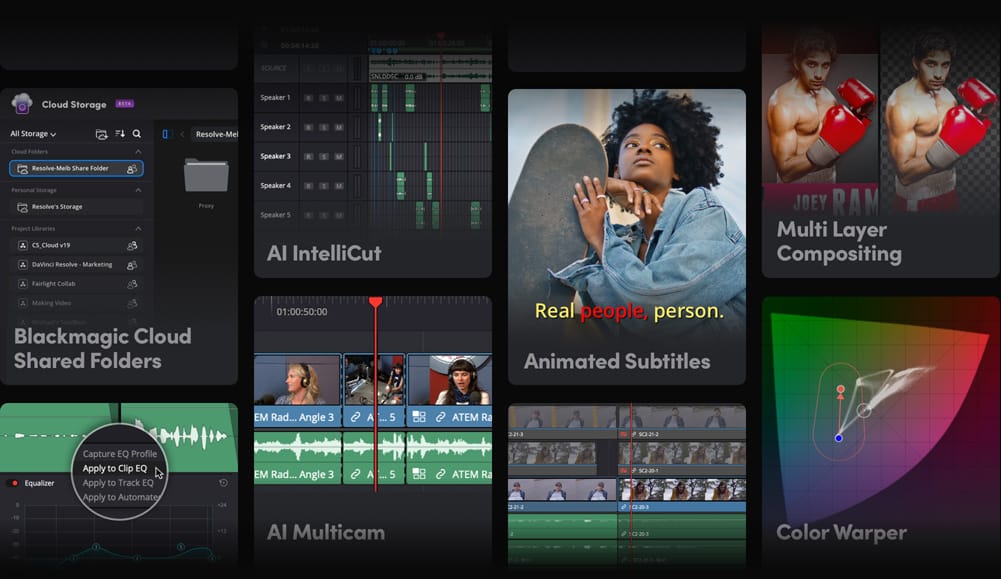
What you get in return is control that CapCut simply cannot give you. The color tools alone justify learning it. DaVinci's color page isn't just "better than CapCut" — it's a different category of tool. Node-based grading means you can layer color corrections independently, apply different grades to different parts of a shot, and build looks that are genuinely cinematic. For music videos where the visual mood is the story, this matters enormously.
The Fairlight audio suite is a full DAW inside your video editor. Waveforms you can actually see. EQ, compression, noise gates. If you've ever been frustrated editing audio in CapCut — squinting at tiny waveforms, guessing at levels — the first time you open Fairlight feels like turning the lights on.
DaVinci's honest use case: music videos, YouTube content, anything where the final quality matters, projects with multiple audio tracks, color-critical work.
The comparison that actually matters: making a music video
Let's make this concrete. Say you're editing a 3-minute music video — performance footage cut with B-roll, needs a specific color grade, sync to a beat.
In CapCut: You'll struggle with the multi-track sync. The color tools will get you 70% of the way to the look you want. If you're using templates and trending effects it'll look current. Export is straightforward. Total time if you know the software: 3–4 hours.
In DaVinci Resolve: The timeline handles multi-track editing without breaking a sweat. You can sync your cuts to markers on the audio waveform precisely. The color grade you can achieve is genuinely professional — you'll see the difference when you compare the two exports side by side. Total time if you know the software: 3–4 hours. If you're still learning: longer.
The outputs are not equal. If image quality matters to you — and for music videos it should — DaVinci produces a better result. Full stop.
What about price?
Both are free and the free versions are legitimate.
CapCut Pro costs $9/month and adds premium templates, better export options, and more AI features. Worth it if you're publishing daily and need the extras.
DaVinci Resolve Studio costs $295 — once, no subscription. It adds GPU-accelerated noise reduction, AI upscaling, lens correction, and collaborative editing. Most creators never need it. The free version exports up to 4K and has no watermark. There's no catch.
If you're choosing on price: both are free. DaVinci is better value long-term because you pay once and own it forever.
The honest verdict by creator type
You're new to editing and just want to post something: Start with CapCut. You'll be publishing real content within a week. Don't overthink it.
You're making music videos: Learn DaVinci Resolve. The color and audio tools are not optional for this format — they're the whole point.
You're building a YouTube channel with longer videos: DaVinci. Multi-track editing, chapter markers, better audio control. CapCut will frustrate you past the 5-minute mark.
You're running social accounts and volume is the game: CapCut, possibly CapCut Pro. Speed and templates are genuinely valuable when you're publishing 5 times a week.
You want to get serious over the next year: Learn both. Use DaVinci as your main editor. Use CapCut to cut fast social versions. This is what a lot of working editors actually do.
One thing I wish I'd known earlier
When I started taking video seriously I spent three months in CapCut before switching to DaVinci. Those three months weren't wasted — I learned how to cut, how to think about timing, how to tell a story visually. CapCut is a genuinely good place to learn the fundamentals because it gets the technical friction out of the way.
But the moment I started caring about color — really caring, wanting my footage to look like the music videos I was referencing — CapCut couldn't get me there. DaVinci could.
The tool doesn't make the editor. But the right tool stops holding you back.
FAQ
Can I use CapCut and DaVinci Resolve together? Yes, and it's a smart workflow. Edit and color-grade your main video in DaVinci. Then import the export into CapCut to add captions, cut platform-specific versions, and add trending effects for social. You get the quality of Resolve with the speed of CapCut.
Is DaVinci Resolve really free — what's the catch? No catch. The free version exports 4K without a watermark and includes most features. Blackmagic Design's business model is selling hardware (cameras, mixers, control surfaces). DaVinci is free to get people into that ecosystem.
Does CapCut sell your data? CapCut is made by ByteDance, TikTok's parent company. There are legitimate privacy concerns that some users have about data handling. As of early 2025 it remains legal and available in most countries, but it's worth knowing where the software comes from and making your own call.
How long does it take to learn DaVinci Resolve? One hour to do basic editing. One week to feel comfortable. One month to use the color tools confidently. The learning pays off — these skills don't expire.
Which is better for YouTube Shorts or TikTok? CapCut, clearly. The vertical format templates, auto-captions, and trending effects are built for exactly this format. DaVinci can do it but it's like using a road bike on a dirt trail.