Best Transitions for Music Videos (With Examples)
Most transitions in music videos are invisible.
Not because they're hidden or subtle — because they happen on the beat, match the energy of the song, and feel so inevitable that your brain processes them as part of the music rather than an editing decision.
The transitions people notice are the wrong ones. The cross dissolve that lands slightly off the beat. The spin transition that was cool in 2019. The wipe that looks like it came with the software.
This is about the transitions that work — what they are, when they land, and why they feel right when they do.
The hard cut
Every other transition on this list is a variation of or a departure from this one.
A hard cut is nothing. Clip ends, next clip begins. No overlap, no movement, no blur — just a clean edit point. It's the most common transition in professional music video editing by a large margin, and the one beginners use least because it feels like you're not doing anything.
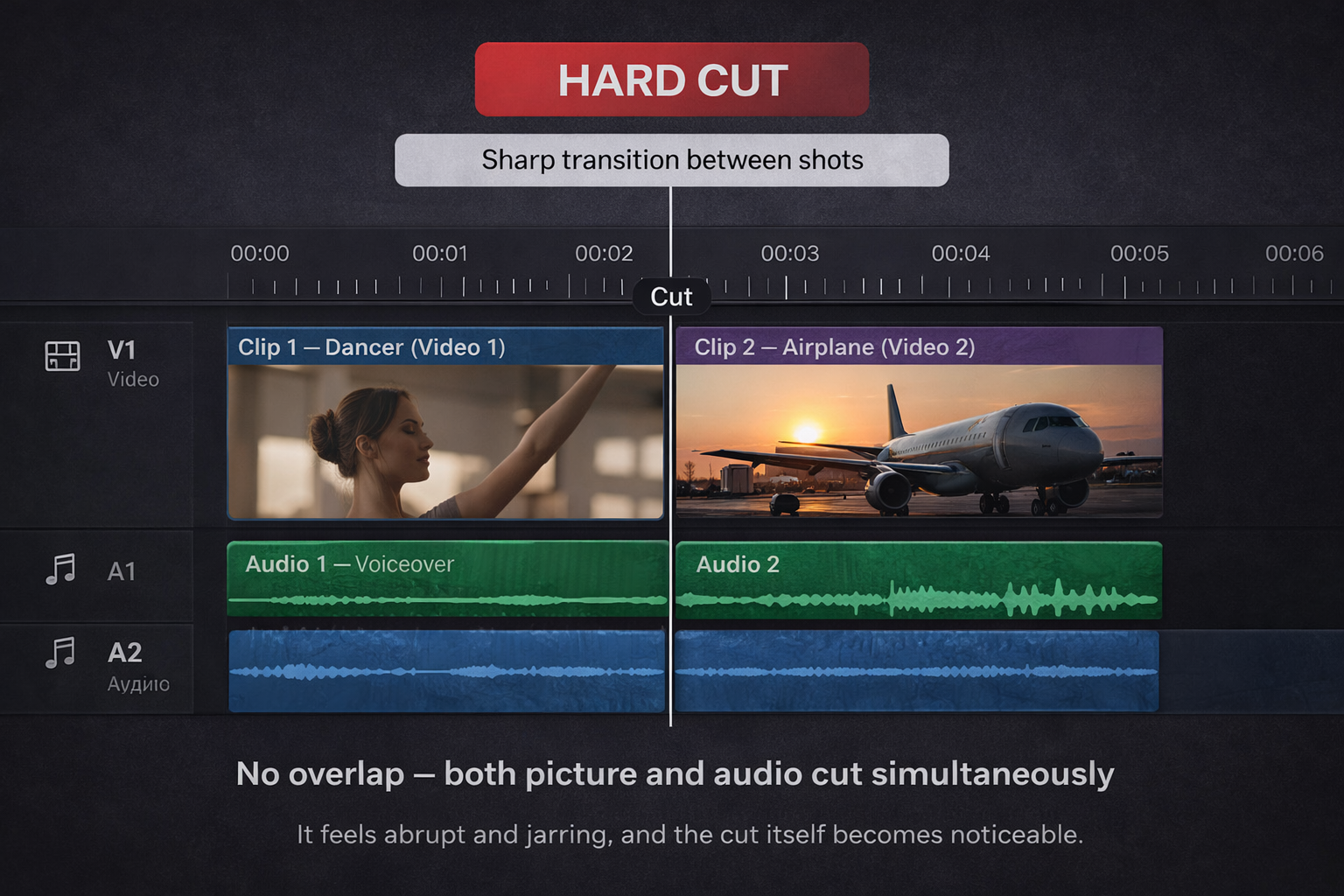
You are doing something. You're trusting the footage and the beat to carry the cut.
When it works: a hard cut that lands exactly on a snare hit, a bass drop, or the first word of a chorus feels like a punch. The abruptness is the effect. The edit and the sound hit simultaneously and the brain reads them as one event.
The example that's hard to forget: the match cuts in most Kendrick Lamar videos aren't fancy transitions — they're hard cuts that land with such precision on the beat that the switch between shots feels physically satisfying.
Where it breaks: hard cuts that land between beats, or on footage that has no strong visual moment at the cut point, feel like accidents. The cut needs something to land on. If there's nothing, the eye has nothing to grab.
The match cut
Two shots connected by a visual similarity — shape, movement, colour, subject — cut so that the similarity creates a sense of continuation even though the location or subject has changed.
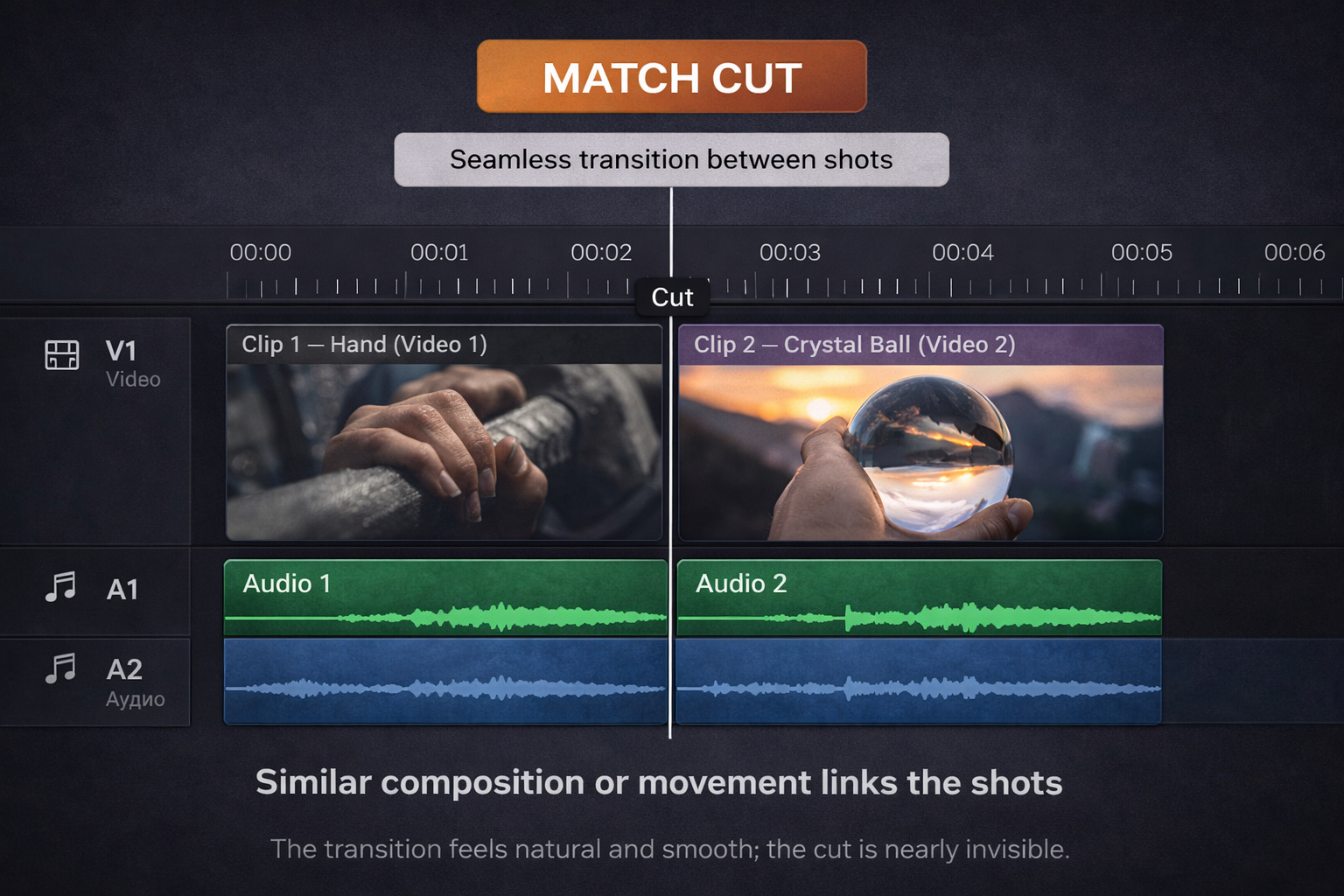
The movement version is the most useful in music video work: someone throws their arm up in one shot, and the next shot starts with a different arm already in the same raised position. The action completes across two different clips. Done well, it looks like the editor planned it from the shoot. Sometimes they did. Often they found it in the footage.
The shape version: a circular object in one shot cuts to a different circular object in the next. A doorway cuts to a window. The eye follows the shape across the edit and reads continuity.
How to find them in your footage: watch your clips without thinking about the edit. Look for shapes that repeat. Look for movements that peak at the end of one clip and could match the start of another. Match cuts are often discovered rather than planned, especially when you're working with existing footage.
When it earns its place: in a verse section where you want the edit to feel considered and intentional without being showy. Match cuts read as craft without reading as effects.
The whip pan
The camera pans hard in one direction, blurs, and the next shot starts with a matching blur that resolves into a new scene. The two blurs are edited together to look like one continuous movement.
Properly shot, the outgoing camera pans right and the incoming camera starts having already panned right — so the motion feels unbroken. In practice, most people shoot both sides of the whip pan deliberately, with matching speed and direction, and cut them together in post.
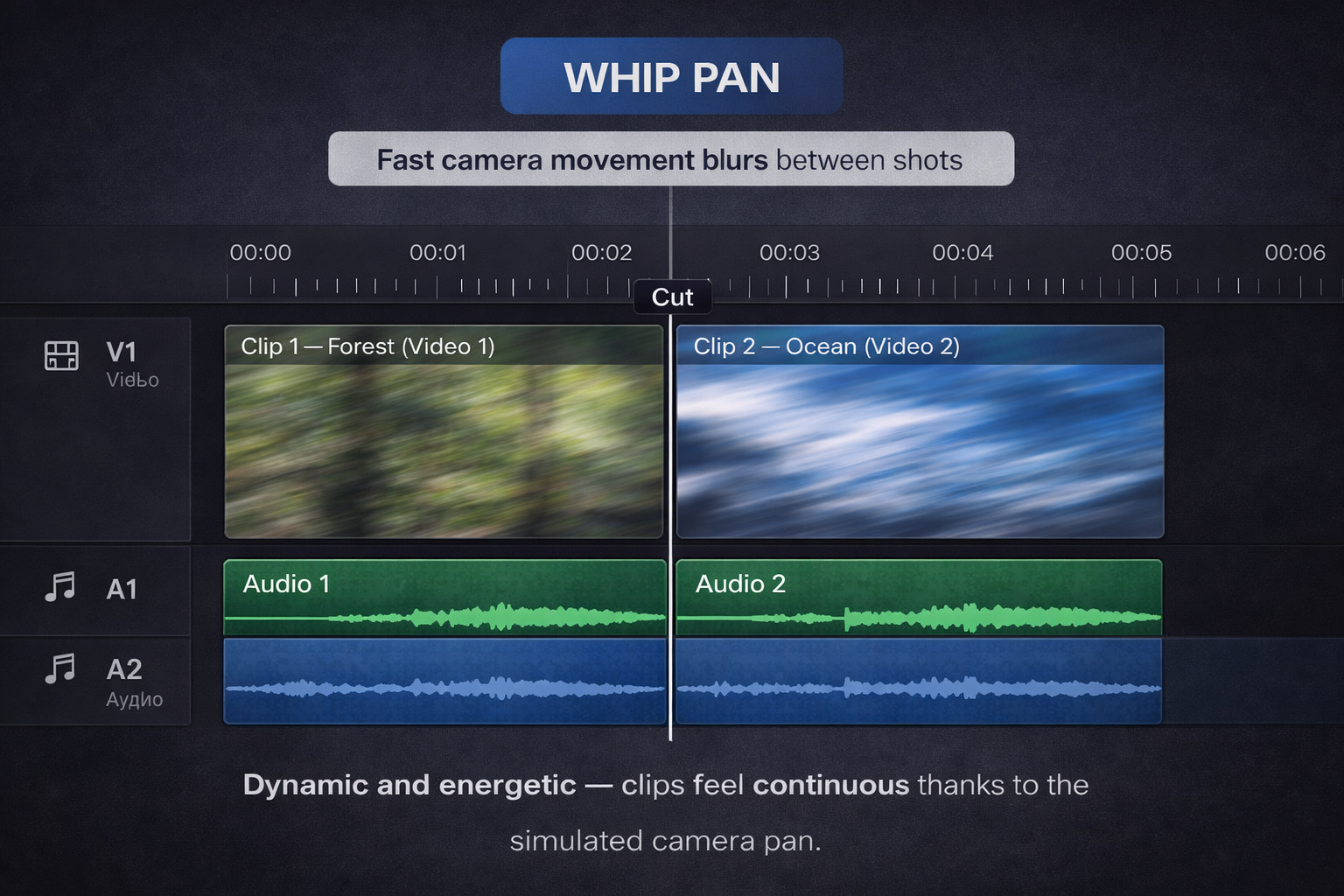
You can also fake it entirely in post: add a motion blur effect to the end of the outgoing clip and the start of the incoming clip, match the blur direction. It looks noticeably different from a real whip pan if you're looking for it. It looks fine if you're not.
When it works: between high-energy sections. Between location changes where you want the pace to stay up. On an eighth note between two beats rather than on the beat itself — the transition becomes the momentum that carries you into the next hit.
When it's wrong: slow songs. Emotional sections. Anywhere the song is pulling the energy down and you're fighting it with movement.
The speed ramp into a cut
This one lives in the space between a transition and an effect, but it belongs here because it's one of the most effective ways to move between shots in a music video.
The outgoing clip slows dramatically — sometimes to nearly frozen — on a specific visual moment. Then it snaps back to full speed and cuts to the next clip exactly on the beat.
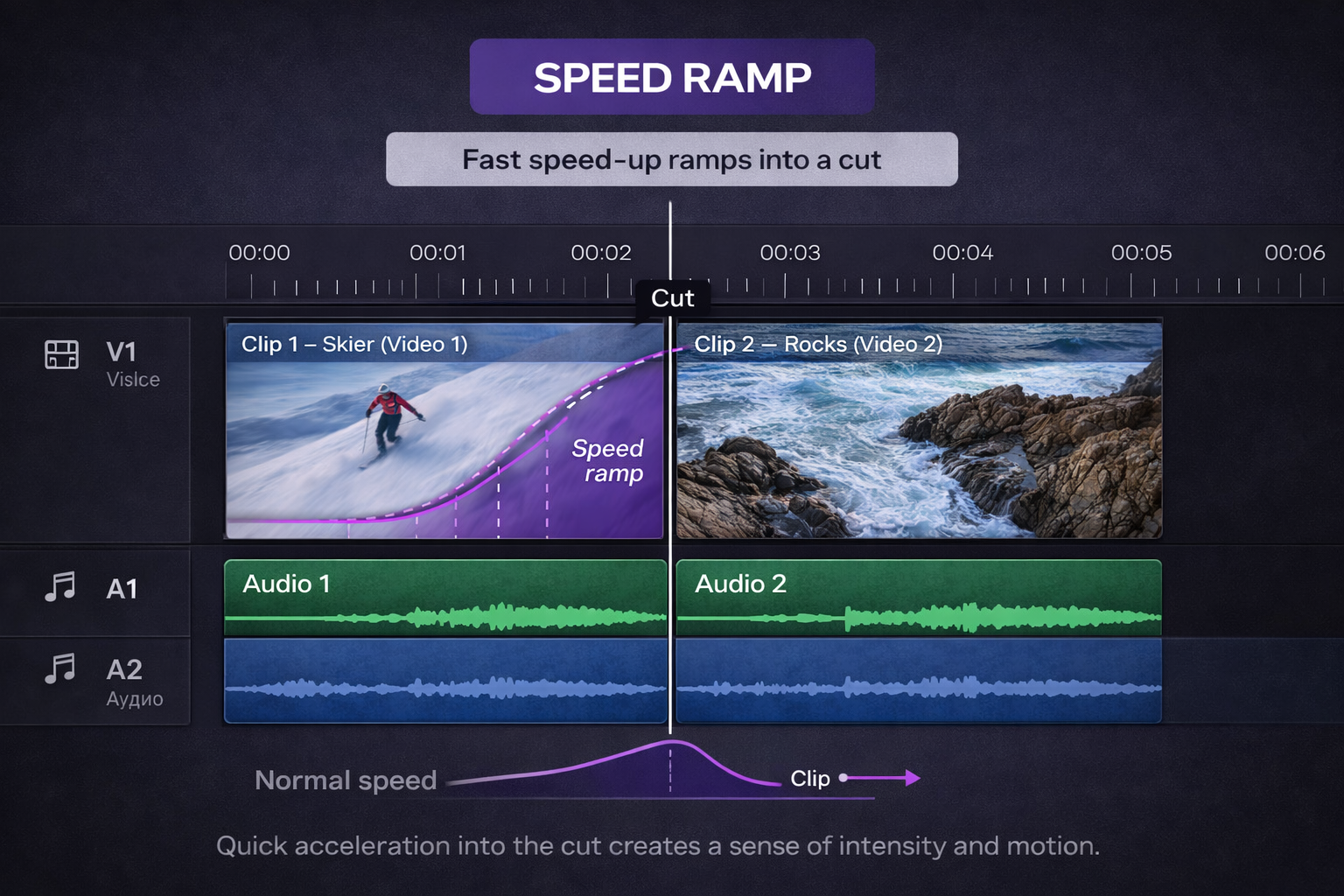
The slow-down creates anticipation. The snap and cut release it. The whole thing happens in one or two seconds but it changes the weight of the edit completely.
The technical version in DaVinci Resolve: right-click the clip, Change Clip Speed, enable the Speed Ramp curve. Set a control point where the slowdown starts, another at the slowest point, and let it return to full speed at the cut point. The curve shape determines how smooth or abrupt the ramp feels.
The version that looks cheap: the ramp goes slow, stays slow, and the cut happens while it's still slow. Nothing gets released. The tension you built has nowhere to go. The cut has to happen at or just after the return to full speed for the technique to work properly.
The J-cut and L-cut as transitions
These were in the glossary but they belong here too, because in music video work they function as transitions between sections rather than just as audio editing tools.
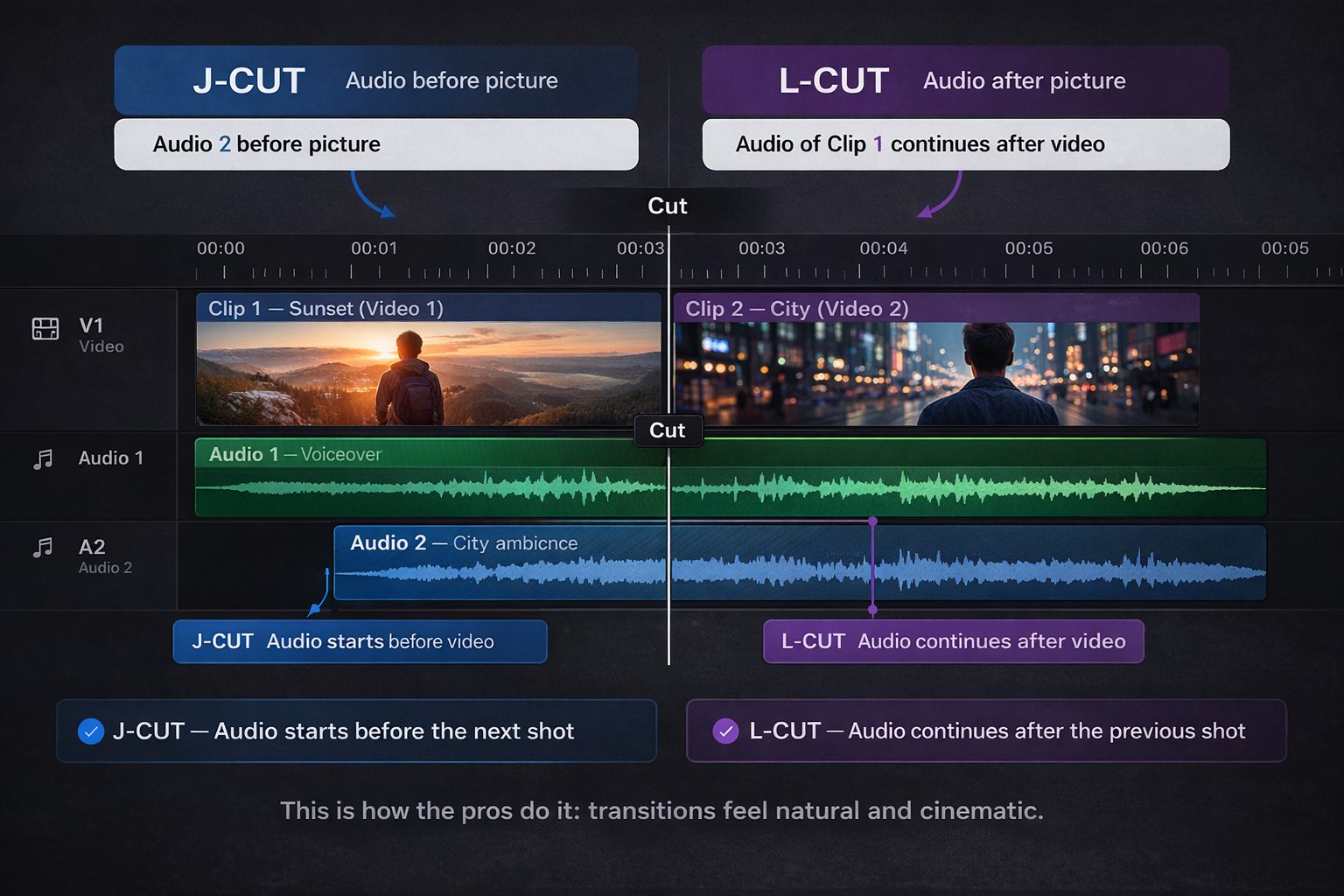
An L-cut into the chorus: the video cuts to the new scene — the chorus environment, the performance space, whatever you're moving to — but the verse audio continues for one or two beats before the chorus drops. When the chorus hits, you're already looking at the right place. The visual arrived early; the audio caught up.
A J-cut out of a bridge: you're still watching the bridge visuals but the first beat of the final chorus is already playing. Then the image catches up. Used at the end of a bridge to make the return to the chorus feel like a release rather than just a cut.
Neither of these requires any visual effect. They're purely about the relationship between when you see something and when you hear it. Which is why they feel musical rather than editorial.
The dip to black (or white)
The image dips briefly to black — or white, depending on the energy — before the next clip appears.
A dip to black feels like a breath. A blink. It's used between major sections of a song to create a sense of time passing or mood shifting. In slower, more emotional music it reads as the editor stepping back and letting the cut breathe.
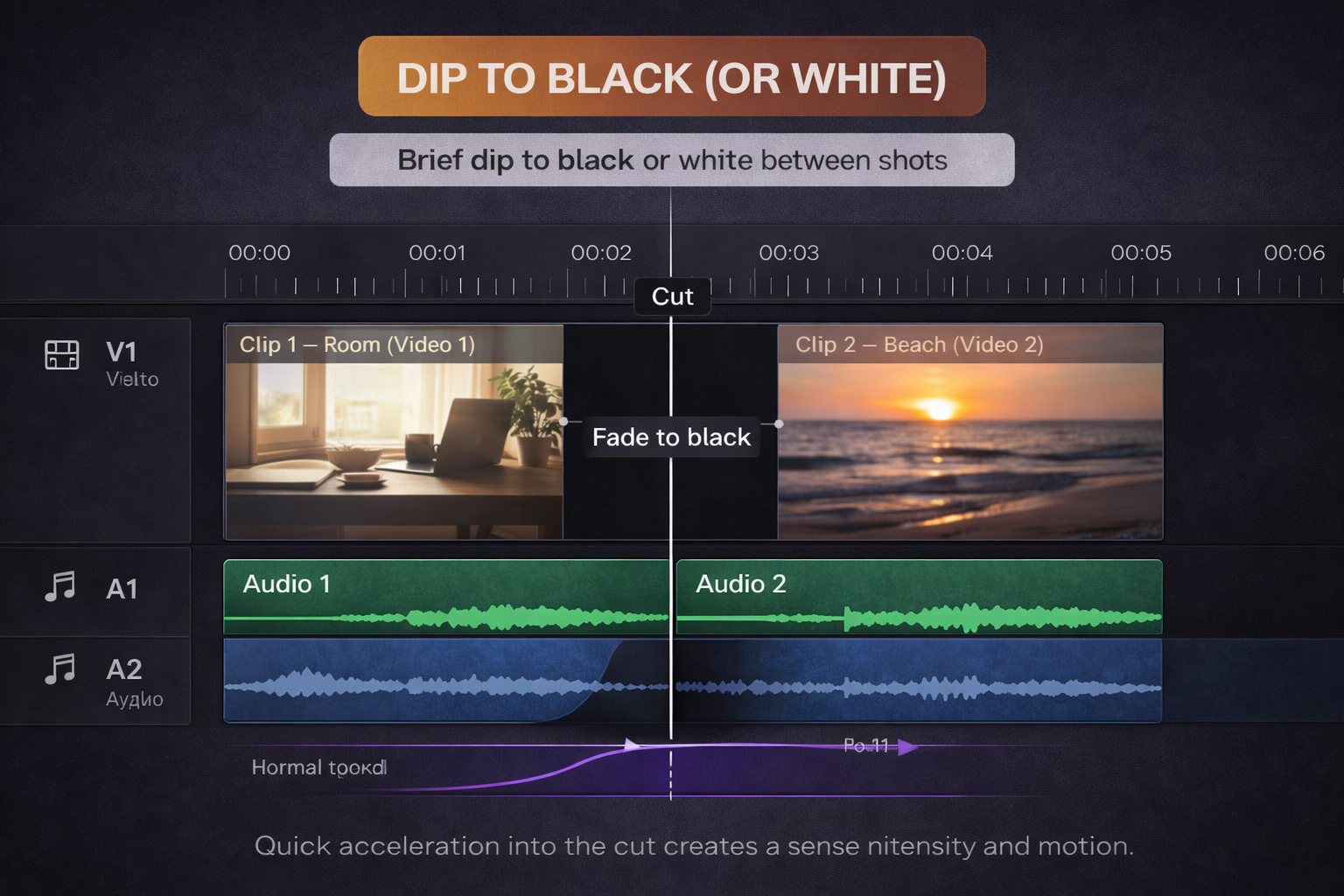
A dip to white is the opposite in feeling — it reads as an overexposure, a flash, something intense. Overused in action content. In music videos it occasionally earns its place on a particularly hard beat drop, where the flash feels like the image itself reacting to the sound.
The version that kills pacing: dips that are too long. If the black frame runs more than five or six frames, it stops feeling like a transition and starts feeling like something went wrong. Cut it shorter than feels comfortable. You can always add frames; it's harder to realise you needed to take them away.
The glitch transition
A visual disruption — digital artifacting, frame duplication, RGB channel separation, rapid cuts between frames — that reads as the edit momentarily breaking.
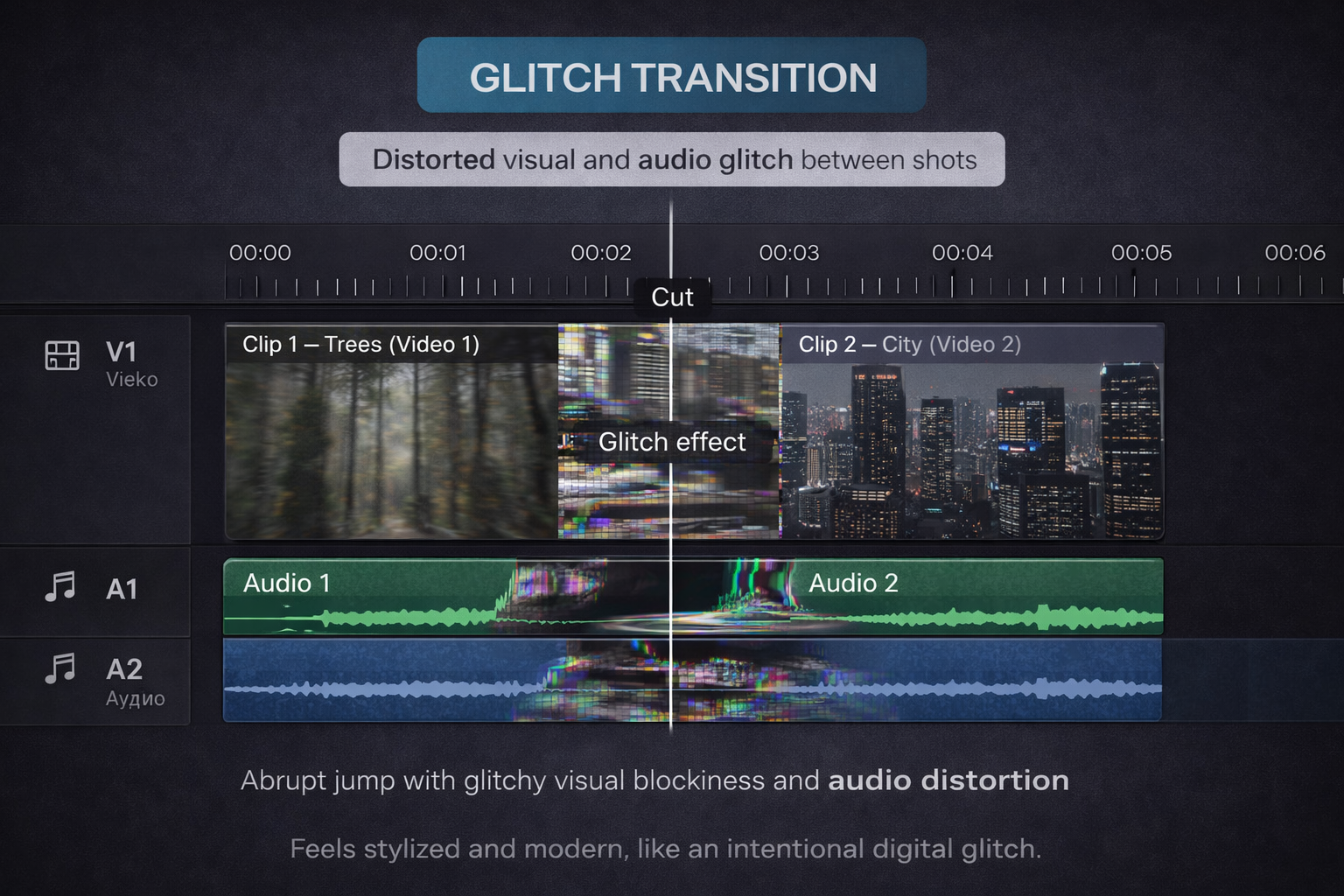
In electronic music, hip-hop, and experimental genres, this works because the aesthetic aligns with the music's production style. Glitch edits look like what digital music sounds like. The transition isn't fighting the genre — it's speaking its language.
In acoustic music, folk, or anything organic, it looks like you accidentally corrupted the file.
The version that works: short, precise, used on a specific hit in the music. Two to four frames of chaos, then clean. The disruption should last exactly as long as the musical moment it's attached to — if the beat has a sharp transient, the glitch is sharp. If there's a stutter in the production, the glitch stutters with it.
The version that doesn't: glitch transitions used between every section because they look cool in the effects library. The effect becomes wallpaper. It stops reading as intentional and starts reading as a style choice made by someone who ran out of ideas.
The invisible transition: the cut on movement
The most professional-looking transition in music video editing has no name in most tutorials because people don't think of it as a transition at all.
You cut while something is moving.
The outgoing clip has movement in it — a turn, a walk, a hand gesture — and you cut in the middle of that movement to a different clip where the movement completes or continues. Because the eye is tracking the motion, it doesn't register the edit. The brain fills in the gap and reads it as one continuous action.
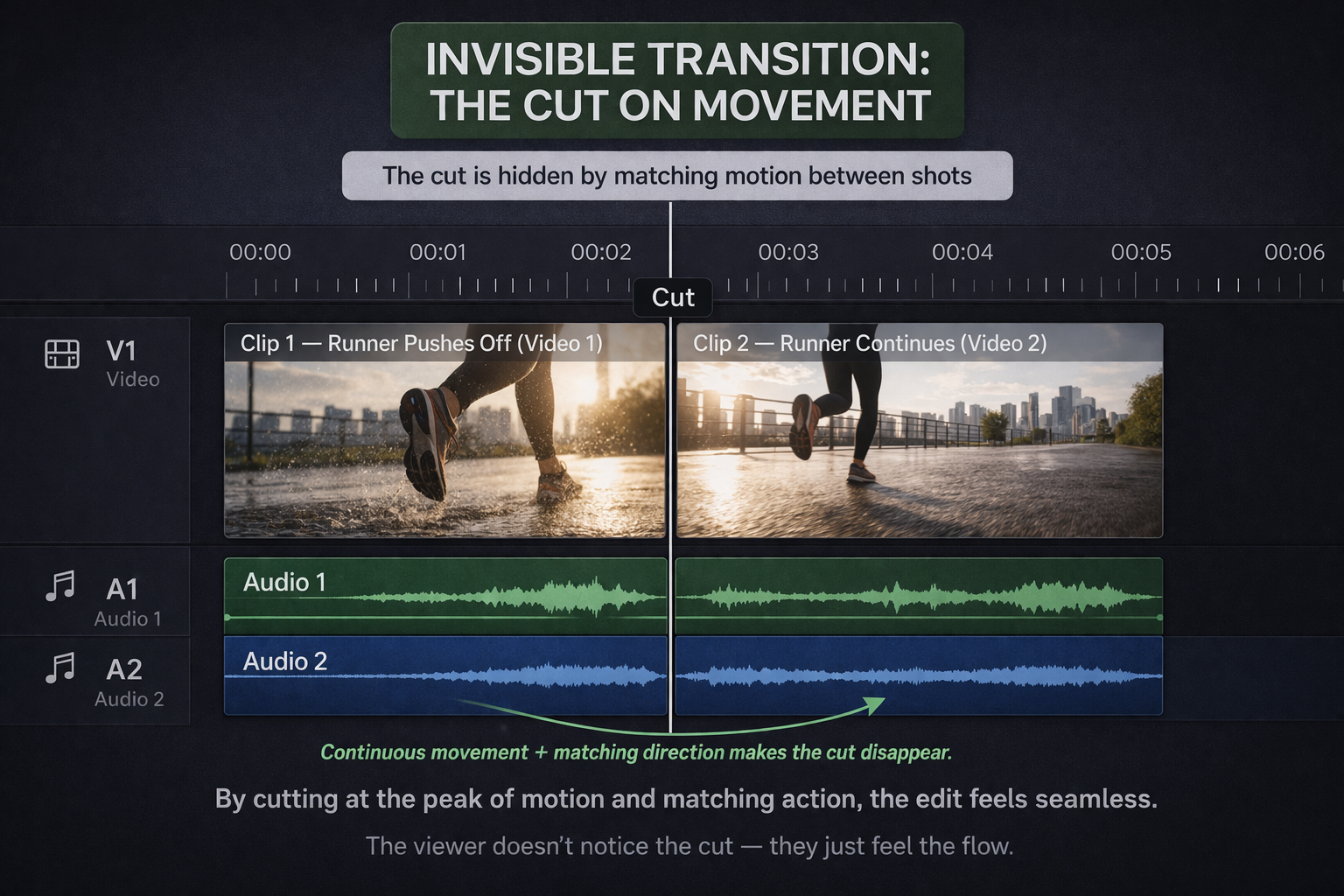
This is why directors shoot movement deliberately. "Walk into frame, we'll cut on the walk" is one of the most common instructions in video production because it gives the editor somewhere to hide the cut.
In practice with existing footage: look for any clip that ends with a strong movement still in progress. Find a clip that starts with a complementary movement. Cut between them while both are moving. The eye will follow the motion across the edit and often not notice the switch.
The ones to mostly avoid
The star wipe, the iris, the page peel. These exist in every editor's effects library. They are almost never the right choice. If you're considering one of these, the question to ask is: what is this transition saying about the edit that a hard cut can't? If the answer isn't specific and convincing, use the hard cut.
Cross dissolves on the beat. Cross dissolves work for slow mood shifts between sections. On a beat, they land late — the dissolve is still happening when the beat has already passed. The result feels sloppy. Hard cuts hit; dissolves don't.
Zoom transitions from preset packs. The ones that push dramatically into the image or pull back hard. In 2018 these were everywhere. In 2025 they read as stock. Not because they're inherently bad but because they've been used by so many people with so little intention that they no longer carry meaning. If you use one, it has to be so perfectly timed and contextually appropriate that it couldn't be anything else.
The rule under all of this
A transition earns its place when it adds something a hard cut couldn't — when it carries energy, creates anticipation, marks a section change, or expresses something about the music that the footage alone doesn't communicate.
When a transition is just a transition — just a way of getting from one clip to the next — it's usually the wrong choice.
Watch your edit with this question running: does this transition say something, or is it just there? Cut everything that's just there. What's left will be better.